
Muso.AI Pricing, Credits & Career Data Fit
Muso.AI is not a general chatbot product, even though the workbook currently routes it through an AI chatbots hub. It is better understood as a music credits, profile verification, and career analytics platform for songwriters, producers, engineers, vocalists, artists, labels, studios, publishers, managers, and other music professionals. The free plan is useful for claiming and managing credits; the paid plans make more sense when the buyer wants analytics, milestones, discography playlists, multi-profile management, or a business workspace.
Fit → price → checkout
Use these routes after the official-site check: coupon first, review for fit, compare if unsure.
Pricing snapshot
Fast commercial checks before pricing, coupons, or a deeper review.
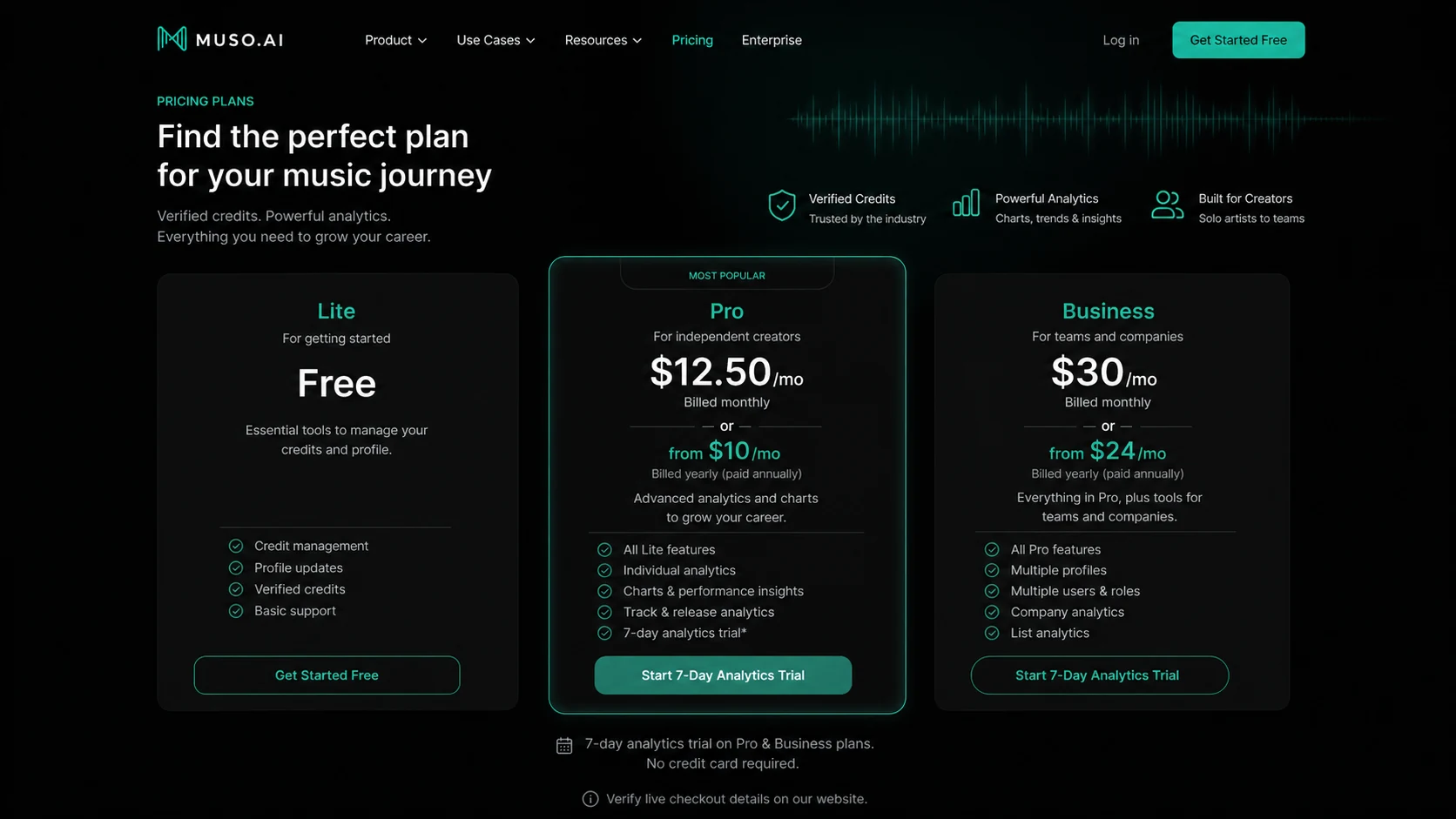
Manage credits, update profile page, access company page, and receive notifications.
Adds one profile, one user, profile analytics, discography playlists, milestones, and charts.
Adds five profiles, three users, company analytics, list analytics, and multi-user workspace features.
The analytics page promotes a free 7-day trial, but buyers should verify which paid workflow it applies to.
Muso.AI product tour
The main video is useful because it explains Muso.AI from the buyer's point of view: whether career stats, verified credits, and streaming history are worth centralizing in one place. Watch it while checking one practical question: do you have enough real credits and catalog activity for paid analytics to matter, or should you begin with Lite and profile cleanup first? The second video inside the content focuses more on using Muso.AI for data and insights, which helps buyers judge whether the analytics workflow is more than a vanity dashboard.
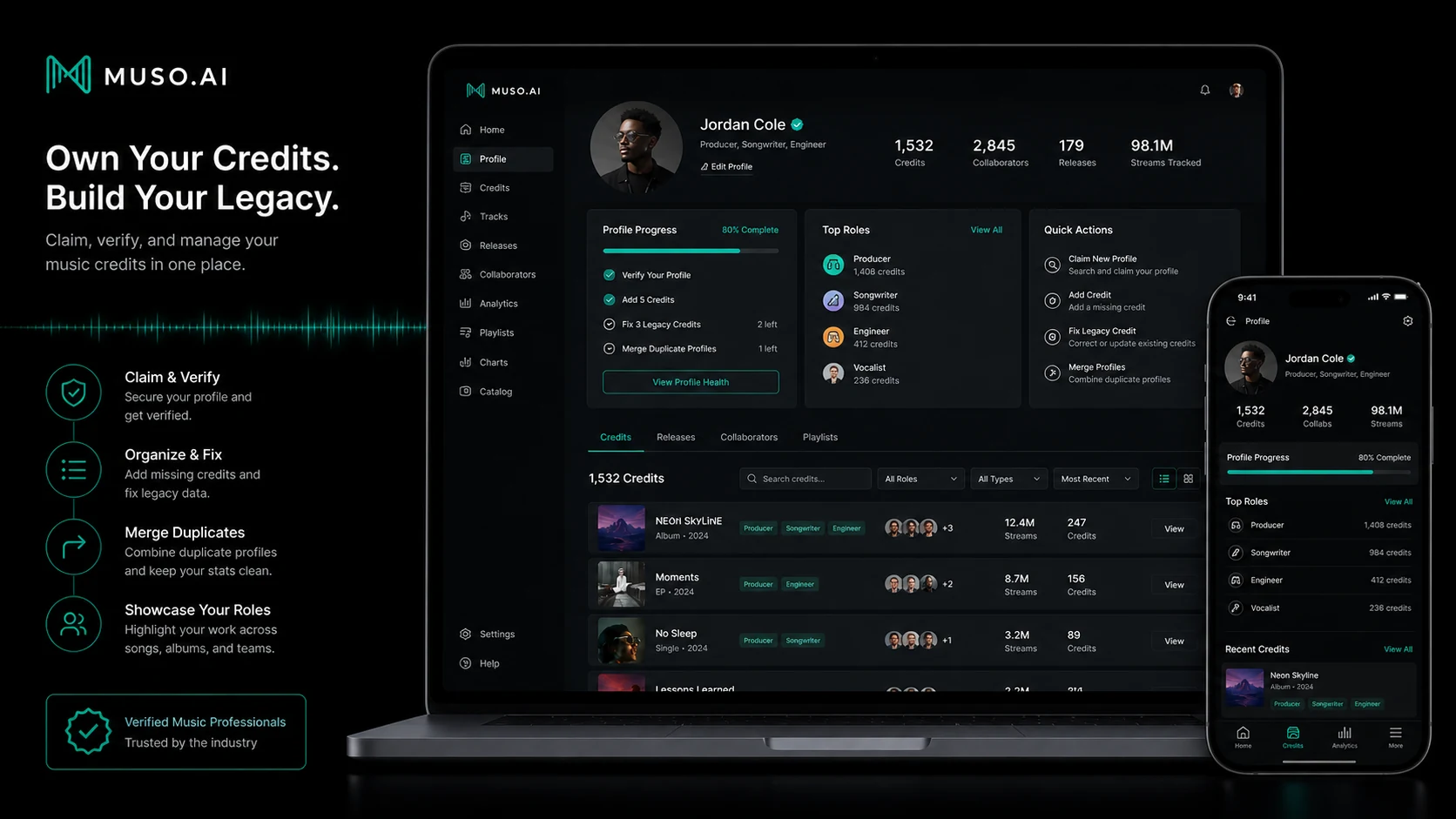
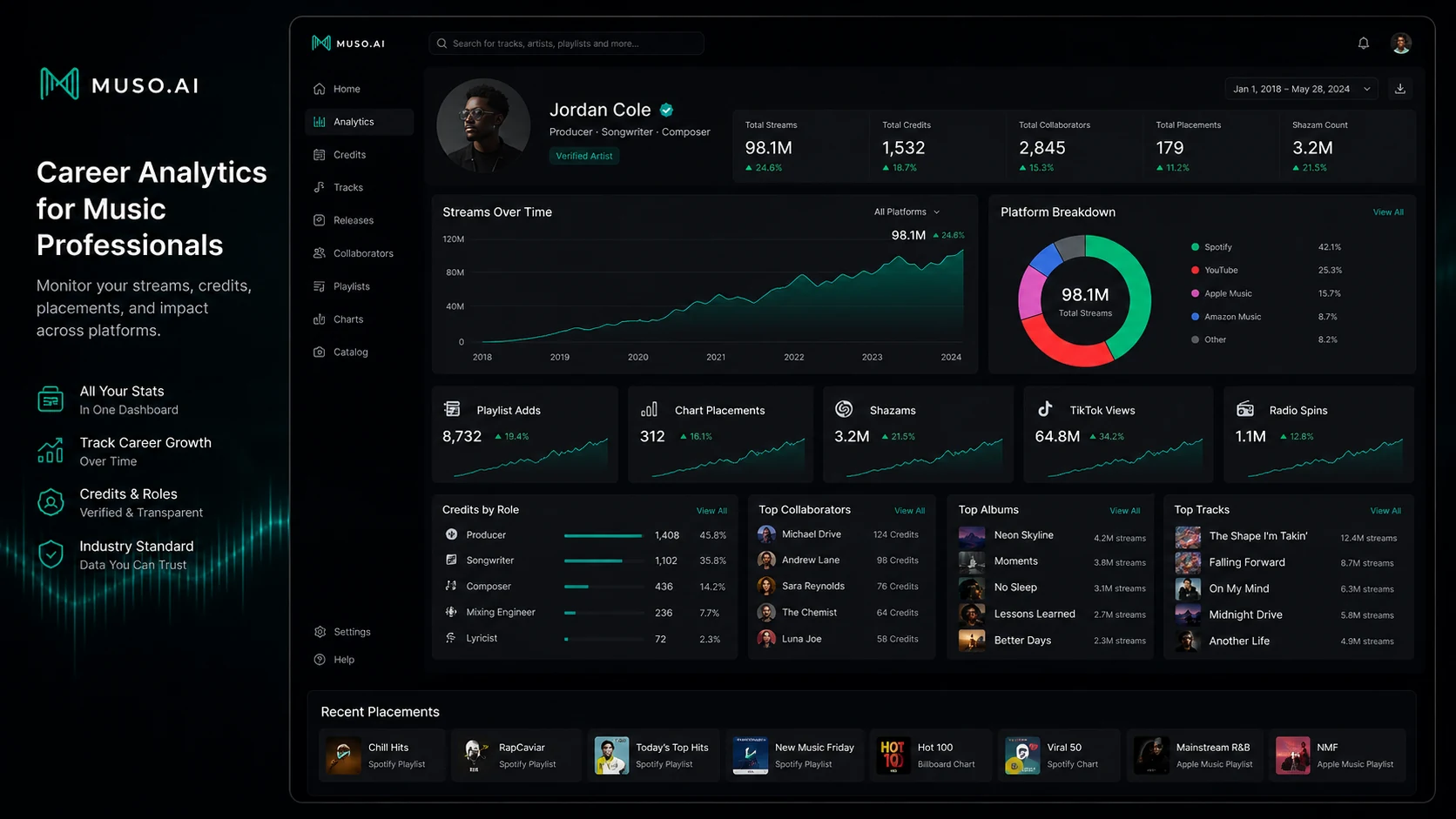
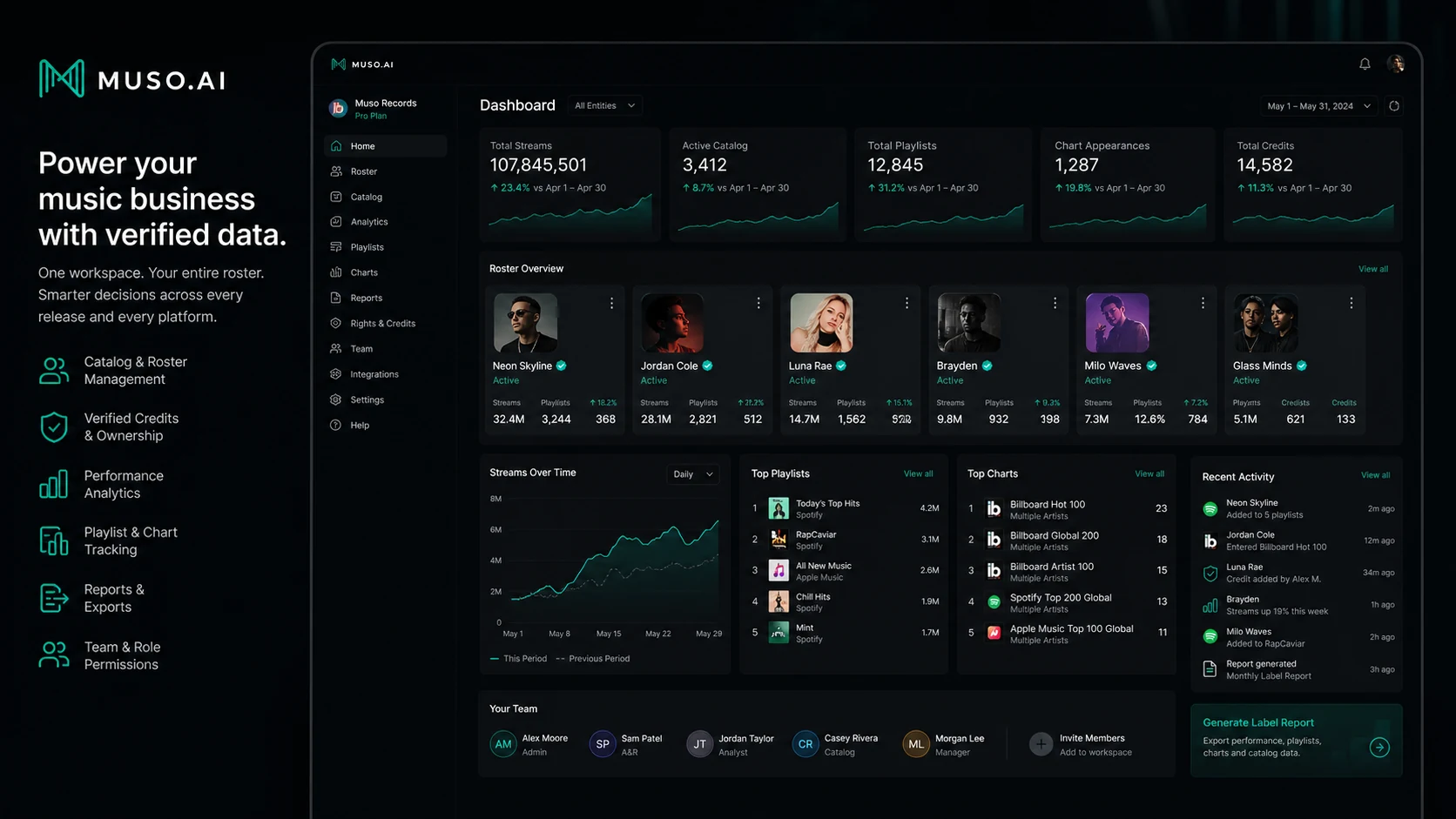
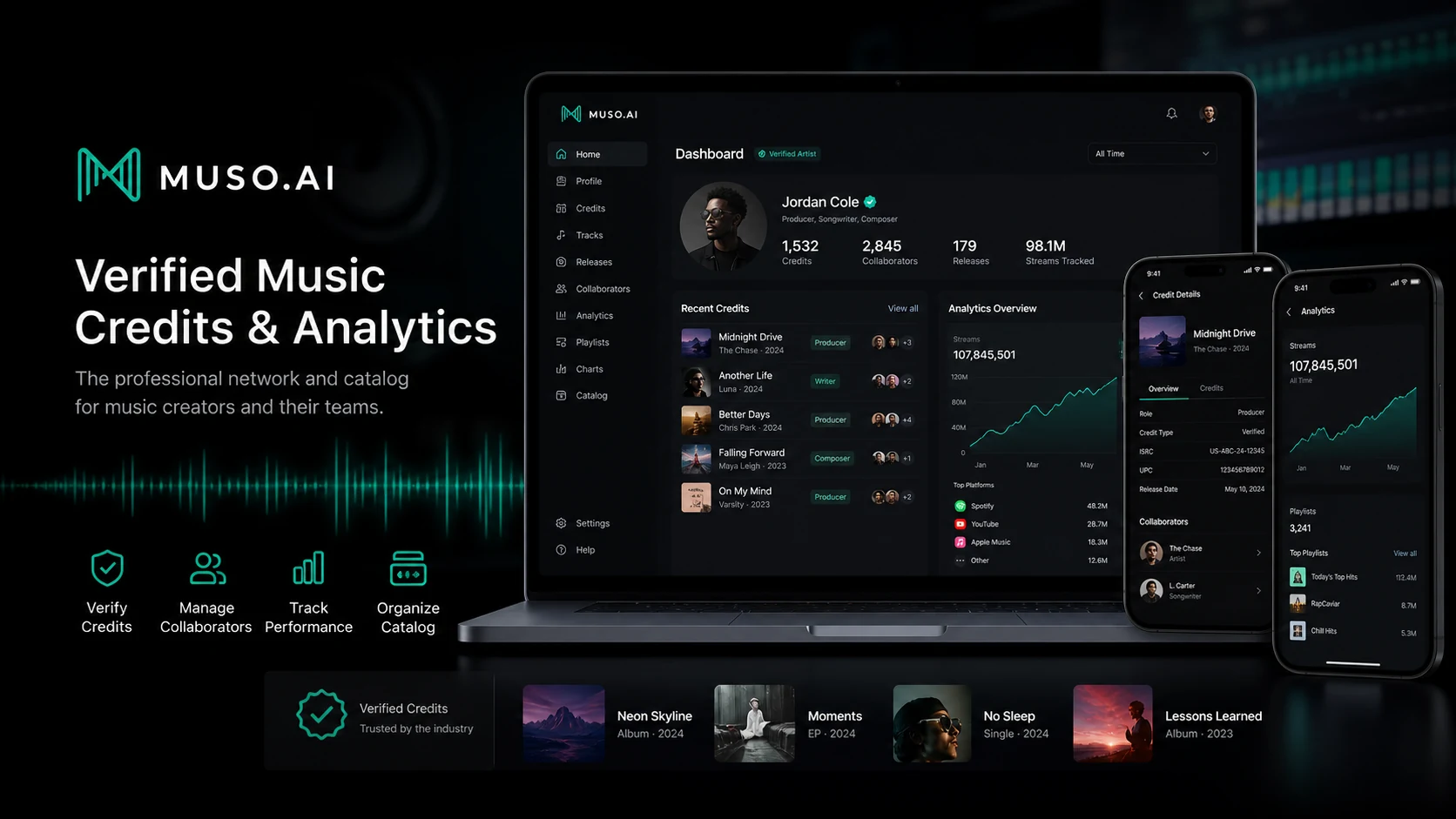
Muso.AI should be treated as a music-credit and analytics product, not as a broad AI chatbot. The real buyer question is whether a songwriter, producer, engineer, artist, manager, studio, label, publisher, or educator needs a cleaner way to claim credits, correct legacy metadata, monitor streaming performance, and understand collaborator or catalog activity. The free Lite plan lowers the risk, but Pro and Business only make sense when the buyer has a real catalog or roster to manage.
What Muso.AI actually does
Muso.AI helps music professionals claim, verify, correct, and organize music credits. That matters because credits can be fragmented across streaming services, metadata systems, labels, collaborators, and legacy releases. The product is useful when the buyer wants their professional contributions to be more visible and easier to manage, especially before using analytics to track how those credits perform.
- Claim and verify professional profiles.
- Correct legacy credits and merge duplicate profiles.
- Claim artist pages and manage credits tied to albums and tracks.
Pricing and plan fit
Lite is the safest first step because it is free and covers core credit management. Pro is the first paid option for individual analytics, discography playlists, milestones, and charts. Business is the right lane for teams that need multiple profiles, multiple users, company analytics, list analytics, and a multi-user workspace. The annual equivalent can be cheaper than monthly, but annual billing should come after the buyer verifies the catalog and understands the cancellation path.
- Lite fits early profile claiming and credit cleanup.
- Pro fits one professional who needs analytics tied to their credits.
- Business fits organizations managing several profiles or roster-level data.
How the analytics video helps the buying decision
The second video is worth watching because it shows how Muso.AI can be used for music data and insights rather than only profile management. Buyers should watch for the exact analytics views that matter to them: stream trends, roles, collaborators, albums, tracks, charts, playlists, roster performance, or catalog-level signals. If those views map to real decisions, Pro or Business becomes easier to justify. If they feel like vanity metrics, Lite may be enough.
- Look for whether the analytics answer a real career or catalog question.
- Check if data is organized by the roles, collaborators, tracks, and albums that matter to you.
- Use the video to separate useful insight from nice-looking but unused dashboards.
Business users need a different checklist
The Business plan is not just a higher-priced version of Lite. It is aimed at teams that manage several profiles, a client roster, a catalog, or a business workflow. Labels, studios, publishers, managers, and education programs should verify how many profiles and users are included, whether company analytics and list analytics answer their reporting needs, and whether roster performance is easy to maintain after onboarding.
- Confirm profile count, user count, and role ownership before buying Business.
- Check whether company analytics and list analytics match the reporting job.
- For large catalogs, ask whether onboarding, support, or early-access business workflows are needed.
Refund and cancellation risk
Muso.AI pricing is easier to understand than its public refund path. The terms describe subscription billing, automatic charges, taxes, and fee disputes, while the help center says cancellation is requested through support chat from the billing area. Because the refund mechanics are not presented as a simple guarantee, buyers should test the free path, note the trial date, and ask support about cancellation timing before committing to annual billing.
- Write down the trial end date if using a 7-day trial.
- Confirm whether annual billing has any refund flexibility before paying.
- If a charge looks wrong, the terms require written dispute notice within 10 days.
Safest next step
The safest next step is to open Lite, claim the relevant profile, check whether credits and artist pages are accurate, and decide whether analytics answer a specific question. If the buyer wants to monitor their own career, Pro is the natural test. If a business needs catalog, roster, or team reporting, Business deserves a closer look. Coupon or offer paths should come after product fit, not before it.
- Start with Lite and clean up the catalog first.
- Move to Pro only when individual analytics will be used.
- Move to Business only when multiple profiles, users, and company analytics matter.
Best savings path from this store page
This is the clearest savings route to check once the product already looks like a fit.
Muso.AI lists yearly pricing with 20% off compared with monthly pricing for paid Pro and Business paths.
Lite plan starts at $0
Business from $30/month
Use comparison routes when the category fit is still open
Use these comparison routes when the product still looks plausible, but the category fit is not fully settled.
Mubert is a better fit for AI-generated music and creator audio, while Muso.AI is for verified music credits and analytics.
Thematic is closer to creator music licensing and brand-safe track discovery, while Muso.AI focuses on professional credits and performance data.
ElevenLabs is stronger for voice and audio generation workflows, not music credit verification or catalog analytics.
Verification points worth checking before you click out
Where this store usually fits best in the workflow
Muso.AI fits music professionals who need to claim profiles, correct legacy credits, merge duplicate profiles, and make collaborator contributions easier to verify.
Pro is useful when the buyer wants to monitor streams, charts, playlists, Shazams, TikTok views, collaborators, roles, albums, and track-level performance from credit data.
Business is the more relevant path for studios, labels, publishers, managers, and education programs that need company analytics, list analytics, multiple profiles, and several users.
Verified credits and cleaner profile data can support professional discovery, collaboration history, and public proof of work before deeper analytics are needed.
Practical checkpoints before and after signup
- Confirm whether your profile, credits, albums, tracks, collaborators, and artist pages exist in the Muso.AI catalog.
- Decide whether you need credit cleanup, analytics, business reporting, or all three.
- Use Lite to claim profiles and check whether the credit data is accurate enough to build on.
- Fix legacy credit issues before judging whether paid analytics are useful.
- Compare Pro and Business by profile count, user count, analytics needs, and annual versus monthly billing.
- Confirm trial scope, cancellation workflow, and fee-dispute timing before paying.
- Monitor whether analytics are actually used for career decisions, client reporting, catalog cleanup, or promotional planning.
- Cancel or downgrade if the dashboard becomes a passive status page rather than a decision tool.
Fast-read signals for workflow fit and buying friction
Questions readers usually ask before choosing this store
What does Muso.AI do?
Muso.AI helps music professionals claim, verify, correct, and manage music credits, then use those credits for profile visibility and career analytics. It is not an AI music generator or a generic chatbot.
Is Muso.AI free?
Yes. The Lite plan is listed as free forever and includes credit management, profile-page updates, company-page access, and notifications. Paid plans add deeper analytics and business workflow features.
How much does Muso.AI Pro cost?
The public help article lists Pro at $12.50/month when billed monthly, or starting at $10/month when billed yearly. Buyers should verify the live pricing page and checkout before upgrading.
Does Muso.AI have a refund policy?
A simple public refund guarantee was not clearly available during this pass. The terms describe billing and a 10-day written fee-dispute window, while the help center explains cancellation through support chat. Confirm refund and cancellation handling before paying.
What is the safest next step before buying?
Start with Lite, claim and verify the profile, check credit accuracy, and only then decide whether Pro analytics or Business workspace features solve a real catalog, career, or team reporting problem.
Choose the next route that matches what you still need to decide
The strongest next click depends on whether you still need product judgment, a savings route, or a broader category comparison.