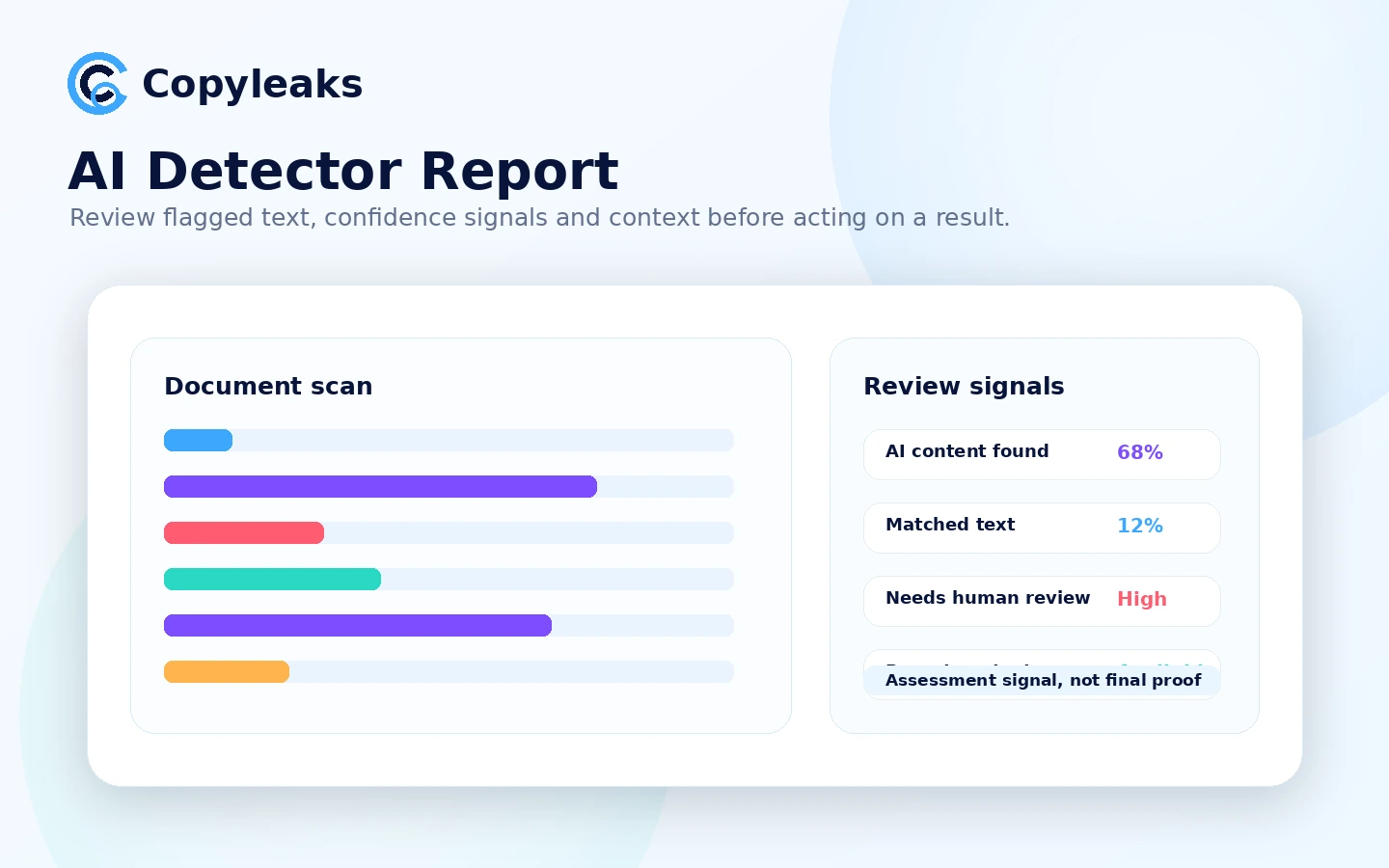
Quick verdict
Copyleaks is worth considering if you need more than a quick AI detector score. The stronger case for it is the combined workflow: AI detection, plagiarism checking, report context, Google Docs or browser review, API access, and education or enterprise routing when a team needs more structure.
That also makes the buying decision less casual.
If you only want to paste one paragraph, see a percentage, and move on, Copyleaks may feel heavier than necessary. The free AI detector path can be useful for a first look, but the paid decision is really about scan volume, credits, report needs, and whether AI detection and plagiarism review belong in the same process.
The part I would be careful about is not the feature list. It is what buyers do with the result. An AI detection report can raise a question, but it should not become final proof that a student, writer, freelancer, or employee used AI. That matters because public feedback around AI detectors is often emotional and mixed, especially when people feel their human-written work was flagged incorrectly.
For my money, Copyleaks makes the most sense for buyers who need a repeatable content-integrity workflow. It is less convincing as a one-off panic checker or as a coupon-driven purchase. The safer next step is to test a real document, compare the result style with nearby tools, then choose Personal, Pro, Education, or Enterprise only after the workflow is clear.
Next step: If Copyleaks still fits your review workflow, start by checking the live product route and current plan options before committing to paid credits.
Review snapshot
| Review point | Practical take |
|---|---|
| Best for | Buyers who need AI detection and plagiarism checking in one workflow |
| Not ideal for | One-off users who only need a casual AI score |
| Main use case | Reviewing drafts, submissions, web content, or documents for AI and originality signals |
| Free path | Public AI detector path for light testing and first impressions |
| Paid path | Personal for lighter recurring use; Pro for higher volume and broader workflow needs |
| Main strength | Combines detection, plagiarism, integrations, and institutional routes |
| Main concern | Detection results, credit usage, refund limits, and plan changes need careful handling |
| Best direct alternatives | Originality.ai, GPTZero, Winston AI |
| Best next step | Test with a real document before choosing monthly, annual, Pro, Education, or Enterprise |
What is Copyleaks?
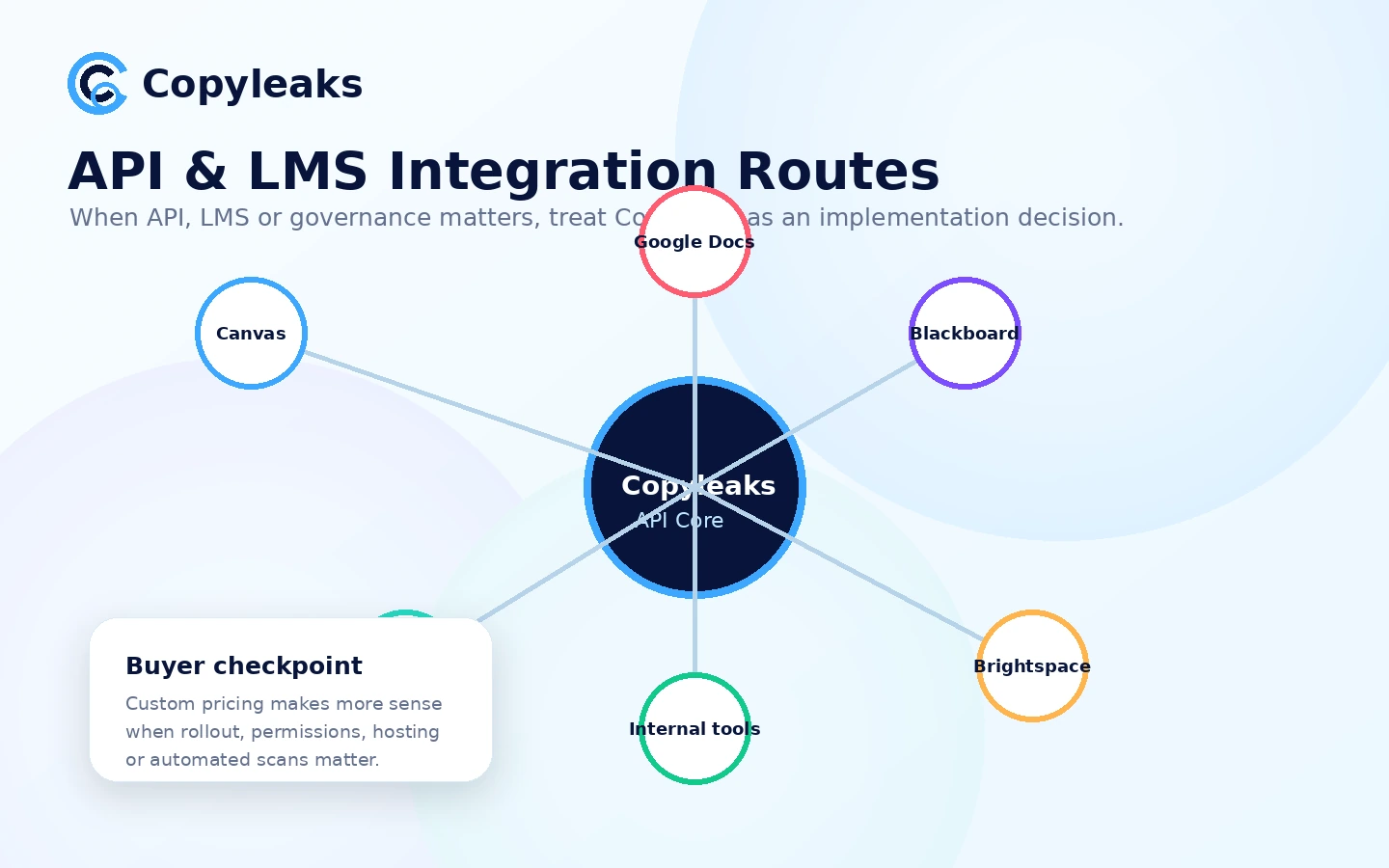
Copyleaks is best understood as a content-integrity platform. It is not only an AI detector, and it is not only a plagiarism checker. Its public product structure covers AI text detection, plagiarism detection, browser extension use, Google Docs scanning, API access, LMS integration, and enterprise or education workflows.
That wider positioning is important.
A simple AI detector asks, “Does this text look AI-generated?” Copyleaks is trying to answer a broader question: “Can this content be reviewed for AI signals, originality, source overlap, and workflow risk in the place where the buyer actually works?”
For a freelance writer, that might mean a quick check before delivery. For an editor, it may mean AI and plagiarism review before publication. For an educator, it may mean LMS-connected academic integrity checks. For a platform team, it may mean API-based detection inside a product or internal tool.
The common wrong expectation is treating Copyleaks as a final authority. I would not use it that way. Detection tools are useful as assessment layers, but they are not judges. A strong review process still needs human context, source review, and a fair way to handle edge cases.
Our review approach: we compare public product pages, pricing details, help documentation, terms, buyer workflow fit, and nearby alternatives. We do not treat a coupon, free checker, or high accuracy claim as proof that the tool fits every buyer.
Who should use Copyleaks?
Copyleaks makes the most sense for buyers who already know that content integrity is a repeated job, not a one-time check.
Writers and freelancers with recurring client delivery may find Copyleaks useful when clients ask for originality confidence, AI detection, or plagiarism review before accepting work. The condition is that the writer uses the result as an editing checkpoint, not as a self-punishing score to chase forever.
Editors, publishers, and content teams are a better fit when AI detection and plagiarism checking belong in the same quality-control step. In this workflow, Copyleaks can help identify text that deserves closer review before publication. The buyer still needs editorial judgment, especially when the result could affect a writer relationship.
Educators and academic teams may consider Copyleaks when LMS integration, student work review, and originality signals matter. This is also the buyer group that should be most careful. A flagged result should trigger review, not automatic punishment.
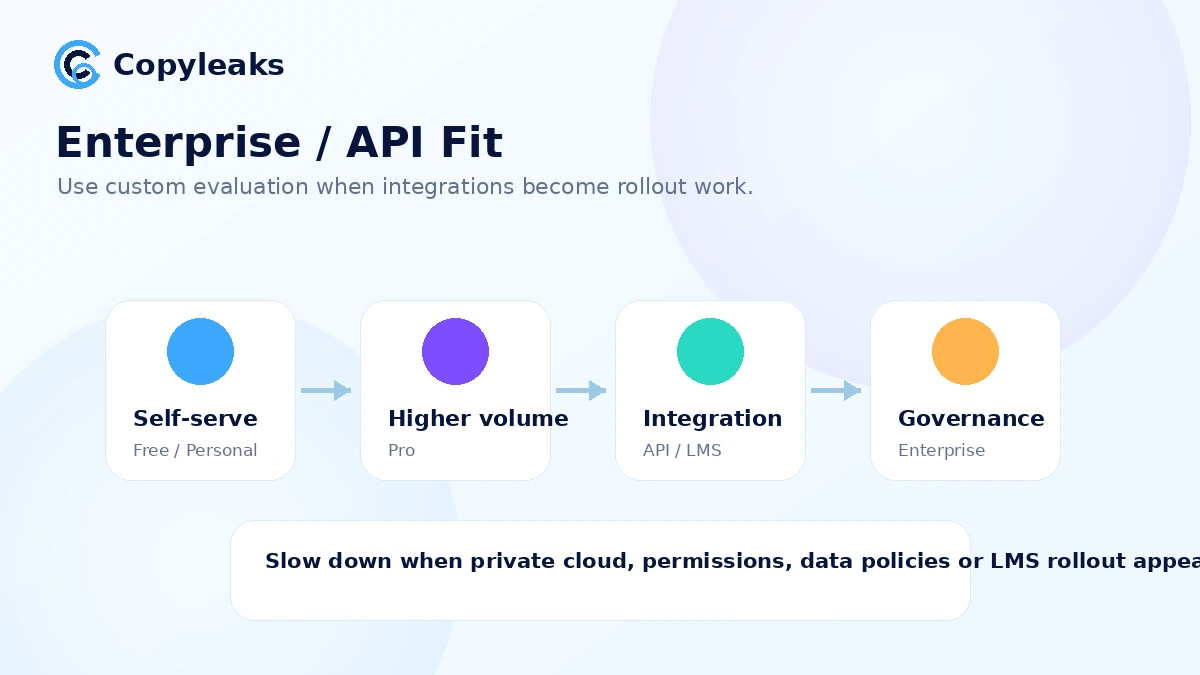
Platforms and enterprise teams should look at Copyleaks when API, private data handling, reporting, role management, or governance is the real need. That is not the same buying decision as a self-serve Personal plan. It is closer to an implementation and policy decision.
Small teams comparing Personal and Pro may also be a fit if they know their monthly scan volume. The Pro plan becomes easier to justify when the team needs more credits, broader workflow features, or reporting depth. It becomes harder to justify if only one person scans occasionally.
Who should avoid Copyleaks?
I would avoid paying for Copyleaks if you only need one casual check. The free detector path or another lightweight tool may be enough to understand whether AI detection is even useful for your situation.
I would also be careful if you want a final truth machine. Copyleaks can provide detection and originality signals, but the result should not be treated as final proof of intent or misconduct. This is especially important in education, hiring, publishing disputes, and client work.
Budget-sensitive buyers should slow down before annual billing. The pricing page is clear enough to compare Personal and Pro, but credits, monthly resets, plan changes, and refund conditions can matter more than the lower annual number.
Teams that need a simple writing assistant should also look elsewhere. Copyleaks is not trying to be a general AI writing workspace. It is a review and integrity tool. If the buyer wants drafting, brainstorming, or content generation, a different category will make more sense.
Finally, I would not buy it because of a coupon route alone. A discount can improve a good purchase, but it cannot make an AI and plagiarism workflow necessary if your real use case is light.
How Copyleaks fits into a real workflow
A realistic Copyleaks workflow starts before the scan.
First, decide what you are checking for: AI-generated text, plagiarism, paraphrasing, source overlap, policy compliance, or a combination of those. The answer changes how you read the report.
Then run the document through the smallest relevant workflow. A writer might use the web checker or Google Docs add-on. An editor may review a full report before sending revision notes. A school may evaluate whether LMS integration fits existing academic integrity policies. A platform team may start with API documentation and credit planning before any rollout.
After the result appears, the key step is interpretation. Do not stop at the headline percentage or confidence signal. Look at what was highlighted, whether the flagged language actually seems patterned, whether source matches are meaningful, and whether the next action is fair.
The final decision should still be human. That might mean revising a draft, asking a writer for clarification, checking sources manually, or comparing the result with another tool before taking action.
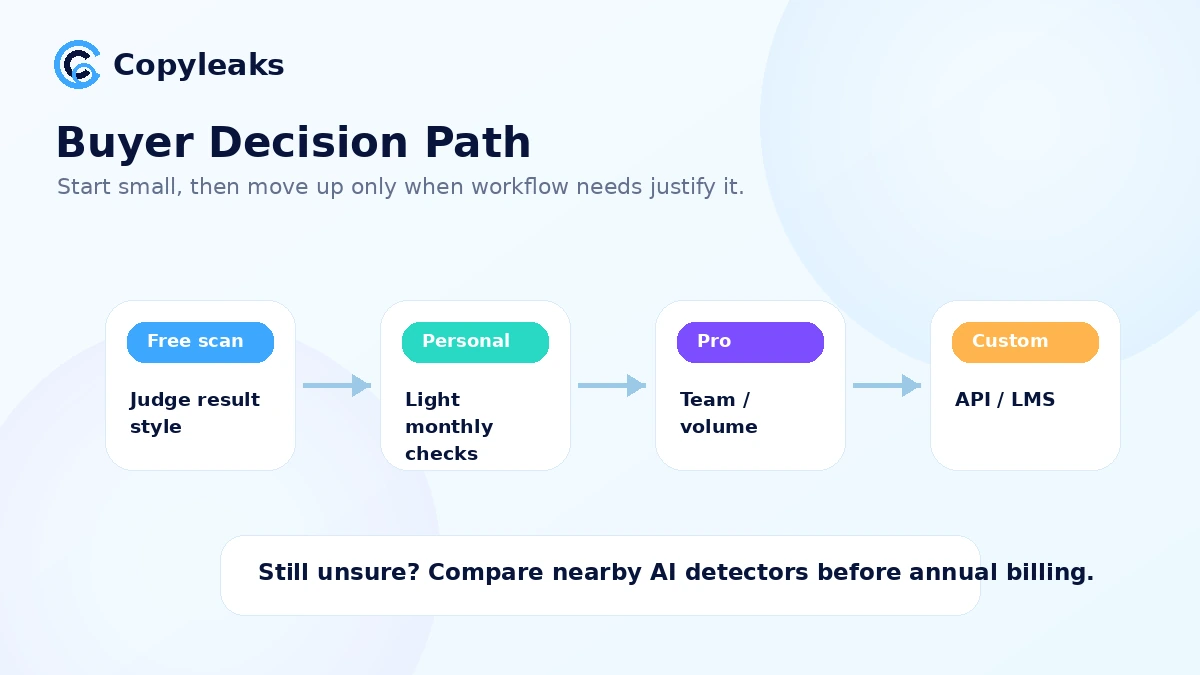
Workflow check: If you are not sure whether Copyleaks fits, test it with one real document before moving into Pro, Education, or API conversations.
Real-world buyer scenarios
A freelance writer checking client drafts
A freelancer may use Copyleaks before delivery when a client cares about originality or AI-assisted writing. This can be useful, but only if the freelancer uses the report as a revision guide. If every flagged phrase leads to anxious rewriting, the tool can make the writing worse instead of better.
The practical check is simple: run a real client-style draft, inspect the highlighted parts, and decide whether the feedback helps improve the draft. If the report creates confusion without actionable edits, a paid plan may not be worth it.
A publisher reviewing contributed articles
A publisher or content agency is a stronger fit because review volume is repeatable. Copyleaks can sit before final editorial review, especially when the team wants AI detection and plagiarism checking in one place.
The buyer should verify credits, reporting needs, and team workflow before choosing Pro. If several editors need access, or if reports need to be shared with clients, the plan decision becomes operational rather than casual.
An educator handling student submissions
Educators may be drawn to Copyleaks because AI detection and plagiarism checking are both part of academic integrity. This is also where caution matters most.
A flagged result should not become an automatic penalty. The safer workflow is to use Copyleaks as one signal, then combine it with assignment context, writing history, source review, student conversation, and institutional policy.
A platform or enterprise team evaluating API use
For a platform team, Copyleaks is less about the self-serve pricing page and more about implementation. API use, credit consumption, data handling, white-label reporting, and support expectations need to be worked through before rollout.
This buyer should not treat the API path as “just another plan.” It is a technical and governance decision.
Key features that actually matter
AI detection with report context
Copyleaks’ AI detector is the headline feature, and its public product page emphasizes high accuracy, multilingual detection, and AI Logic-style explanations. For buyers, the value is not just seeing whether something is flagged. The value is understanding why the report points to a specific part of the text.
Buyer note: use the AI result as an assessment signal. If the result could affect a person’s grade, client payment, job, or reputation, build in a review process before acting.
Plagiarism checking in the same workflow
The plagiarism layer is what makes Copyleaks more interesting than a basic AI detector. For many editors and educators, originality review is not only about AI. It is also about copied phrasing, source overlap, paraphrasing, and whether claims are properly supported.
Buyer note: Copyleaks becomes more valuable when AI detection and plagiarism review belong together. If you only need one of those jobs, compare simpler tools before paying.
Google Docs and browser workflows
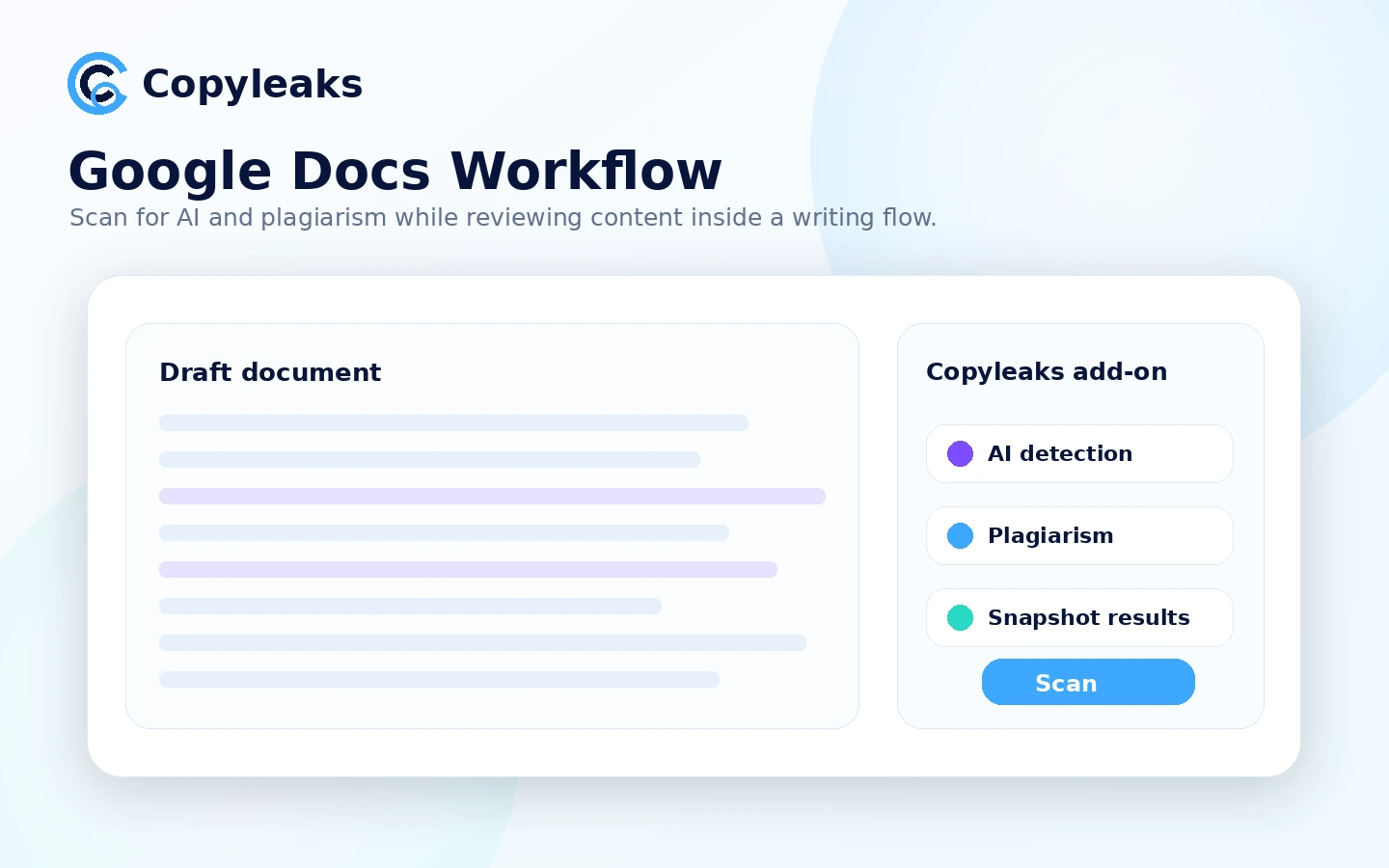
The Google Docs add-on and browser extension matter because review tools are easier to use when they sit where work already happens. If writers, students, or editors live in Google Docs or web editors, avoiding copy-paste friction can make repeated checking more practical.
Buyer note: verify whether your actual workflow uses these extensions. A feature that sounds convenient is only valuable if it reduces friction in the place you write or review.
API and LMS integration
API and LMS support are the serious-buyer features. They matter for platforms, schools, institutions, and companies that need scanning inside existing systems.
Buyer note: do not assume API or LMS needs can be solved by a normal self-serve plan. Once integration, permissions, reporting, or private workflows matter, the buying process should become more deliberate.
Credits and usage management
Copyleaks pricing is easier to understand once you treat it as a credit and usage decision. Personal may be enough for light recurring checks. Pro may make sense for higher volume, broader scanning, or team review. Enterprise and Education are separate routes.
Buyer note: calculate realistic monthly usage before annual billing. Guessing too low can create friction; guessing too high can waste money.
Pricing and plan value
The public Copyleaks pricing decision starts with a free path and then moves into paid tiers.
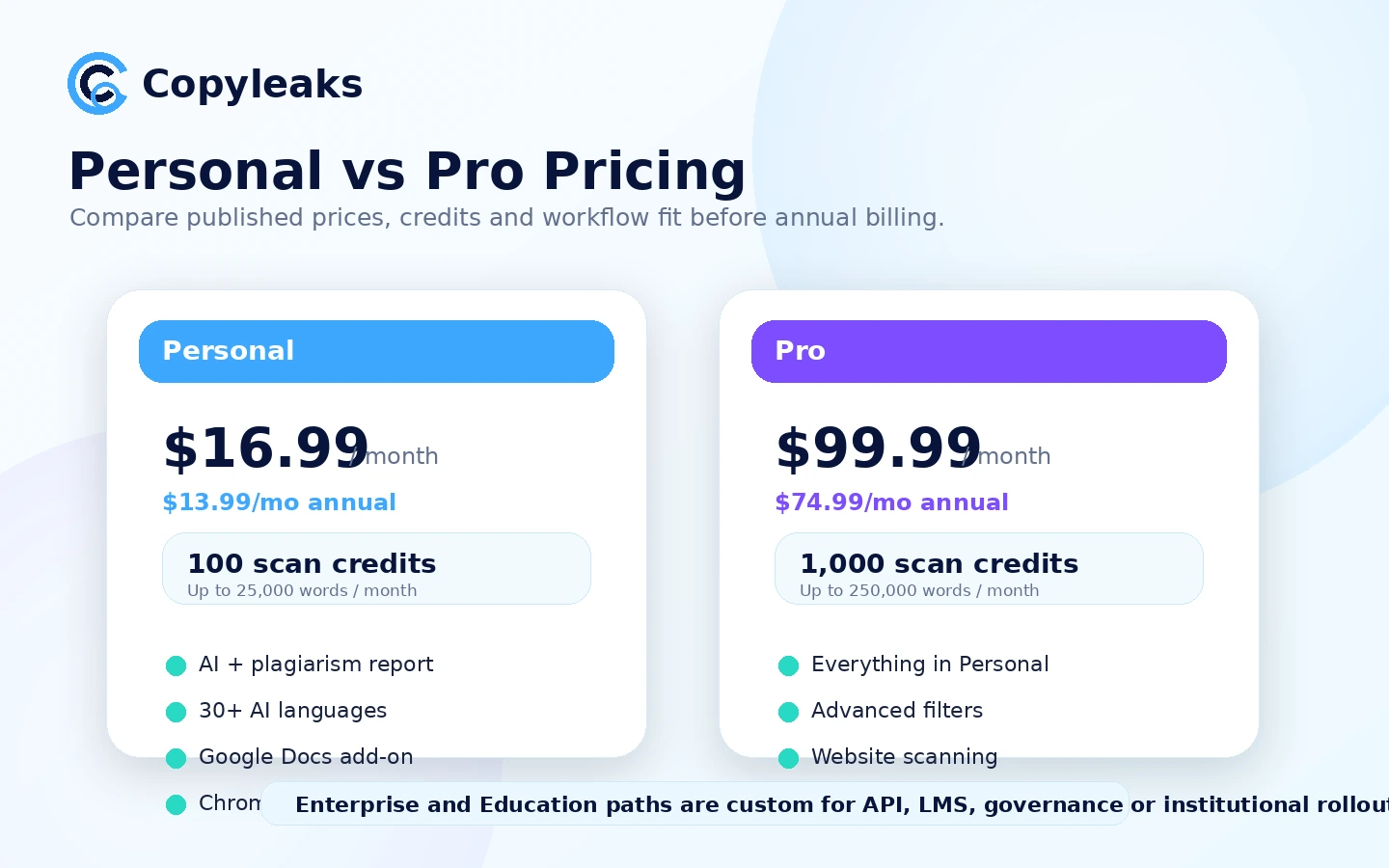
At the time of this review, Copyleaks lists Personal at $16.99/month, or $13.99/month when billed annually. Pro is listed at $99.99/month, or $74.99/month when billed annually. Both plans are positioned around AI detection and plagiarism detection, while Enterprise and Education routes are handled through custom pricing for API, LMS, and broader organization needs.
The number alone does not tell you whether Copyleaks is worth it.
Personal is the logical starting point for an individual who needs repeat checks but does not have heavy volume. It is not the plan I would choose just because it is cheaper. I would choose it only if the credit allowance and report workflow match real monthly use.
Pro is more interesting for teams, publishers, or heavier reviewers, but the jump in price means you need a clear reason. Website scanning, analytics, larger credit volume, and small-team workflow can justify it. A few casual checks per month usually cannot.
Enterprise and Education should be treated as different decisions. If the buyer needs API, LMS, private cloud, governance, analytics, or institutional rollout, the checkout question becomes less important than implementation fit.
The caution is credit behavior. The terms explain monthly accounts do not accumulate unused credits, and unused credits can be cancelled. The pricing FAQ also warns that switching plans can override remaining credits. That makes planning important before moving to annual billing or changing plan types.
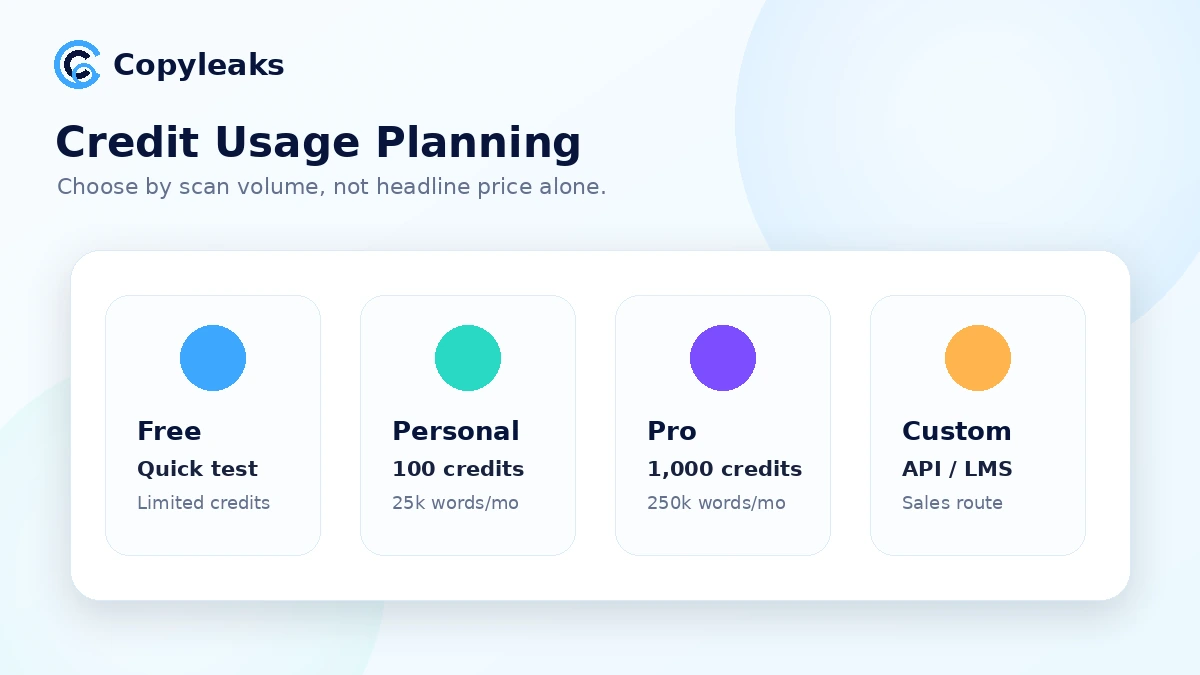
Pricing check: Before choosing annual billing, compare your expected monthly scans against Copyleaks credits and read the current refund and plan-change rules.
Check Copyleaks pricing Check current offers Read store guide
Free plan, trial, coupon, and checkout notes
The free Copyleaks path is useful, but I would treat it as a test lane rather than a full buying answer.
Use it to see how the report feels. Does the output highlight useful parts of the document? Does the AI detection result match your own editorial suspicion? Does the plagiarism review add context? Would you trust this workflow as one signal in a larger review process?
That is what the free path is good for.
The paid decision begins when checking becomes repeatable. At that point, the buyer should compare credit volume, monthly or annual billing, plan-change rules, integrations, reporting needs, and refund limits.
Copyleaks is not best judged as a public coupon-code hunt. The more realistic savings paths are starting free, choosing the right plan, using annual billing only when the workload is proven, or moving into Education or Enterprise only when integration needs justify it.
The refund note deserves special attention. Copyleaks states that refunds are not guaranteed and are only issued if the request is submitted within the first 10 days of the billing cycle and no pages or credits have been used. That creates a practical problem: using the paid product can also narrow the refund path.
So the safer order is: test free, read plan details, choose the smallest realistic paid path, and avoid using paid credits until you are comfortable with the policy.
What I would check before buying Copyleaks
If I were buying Copyleaks for a real workflow, I would check these points before paying:
- The actual job. Are you checking AI, plagiarism, source overlap, policy compliance, or all of them together?
- Monthly credit needs. How many documents, pages, or words will you realistically review each month?
- Free vs paid fit. Is the free detector enough for your current use, or do you need repeat reports?
- Personal vs Pro. Do Pro features and higher credit volume solve a real problem, or just feel safer?
- Annual billing risk. Would you still use the tool every month after the first few weeks?
- Refund condition. Are you comfortable with the 10-day request window and no-used-credit requirement?
- Workflow location. Do you need Google Docs, browser extension, API, LMS, or a custom institutional route?
A simple test before paying
Before paying, I would run a small test like this:
- Choose one real document you would actually review in your normal workflow.
- Run the free AI detector or lowest-risk available path.
- Read the highlighted areas, not only the headline result.
- Compare the report with your own judgment about the document.
- If plagiarism review matters, test whether source overlap is useful enough to change your editing process.
- Decide whether you need Google Docs, browser, API, or LMS integration.
- Only then compare Personal, Pro, Education, or Enterprise.
The goal is not to “beat” the detector. The goal is to see whether Copyleaks gives you better review decisions than you would have made without it.
Pros explained
The first real strength is that Copyleaks combines AI detection and plagiarism checking. This matters because originality review is rarely one-dimensional. A document can be AI-assisted, reused from another source, paraphrased heavily, or simply written in a style that triggers questions. A combined report gives the reviewer more context.
The second strength is workflow coverage. Browser extension, Google Docs, API, and LMS routes mean different buyers can use Copyleaks in different places. That makes it more adaptable than a detector that only works in a single web box.
The third strength is plan clarity at the self-serve level. Personal and Pro pricing are visible enough for individual and small-team buyers to compare. Enterprise and Education are separated, which is appropriate when the buyer needs integration, governance, or institutional rollout.
The fourth strength is that Copyleaks can scale into serious use cases. API and LMS paths matter when detection is not just a personal check but part of a platform, classroom, publishing workflow, or compliance process.
The limit is that each strength becomes valuable only when the buyer has the matching use case. A casual writer does not need an institutional workflow. A school should not treat a self-serve detector result as a complete academic integrity process. A platform team should not treat API adoption as a quick checkout decision.
Cons explained
The biggest con is the risk of over-trusting detection results. This is not unique to Copyleaks, but it matters more because Copyleaks is often considered by educators, publishers, and teams. A false positive or misunderstood report can create real harm if the buyer acts too quickly.
The second con is pricing complexity once credits matter. The public monthly price is easy to read, but the real cost depends on scan volume, unused credits, plan switching, and whether annual billing fits actual usage.
The third con is the narrow refund path. A 10-day request window with no used credits or scanned pages means buyers should understand the policy before using paid scans. That is not the same as a relaxed trial.
The fourth con is mixed public sentiment around AI detection accuracy. Some users praise ease of use and detection value; others complain about incorrect flags and inconsistent results. I would not ignore either side. The balanced answer is to test your own content type before standardizing the tool.
Green flags and red flags
Green flags:
- You need AI detection and plagiarism checking together.
- You review documents repeatedly, not once or twice per year.
- You have a clear monthly credit estimate.
- You need Google Docs, browser, LMS, or API workflow support.
- You understand that detection results require human review.
Red flags:
- You want a final proof machine for judging people.
- You are buying only because a plan looks cheaper annually.
- You cannot estimate scan volume.
- You need a refund-safe trial but plan to use paid credits immediately.
- You only need a simple, one-off AI detection check.
Copyleaks vs alternatives
Originality.ai vs Copyleaks
Originality.ai is usually the more direct comparison for publishers, agencies, and SEO teams that care about content originality inside a publishing workflow. If your main job is reviewing articles before publication, it deserves a serious look.
Copyleaks may make more sense if plagiarism checking, Google Docs, API, LMS, or institutional routing are part of the requirement. The tradeoff is that Copyleaks can feel broader, while Originality.ai may feel more publishing-focused.
If publishing-side originality review is your main job, compare the Originality.ai review before standardizing on Copyleaks.
GPTZero vs Copyleaks
GPTZero is the cleaner comparison when the buyer wants an AI-detection-first experience, especially in education-style review. It may feel more direct for people who do not need plagiarism checking or API/LMS complexity.
Copyleaks is stronger when the buyer wants AI detection and plagiarism review together, or when institutional integrations matter. The tradeoff is simplicity versus content-integrity depth.
If education-first detection is your main concern, read the GPTZero review before choosing the broader platform.
Winston AI vs Copyleaks
Winston AI is worth comparing when report presentation, team review, and AI detection workflow are the buyer’s main concerns. It may be easier to evaluate for teams that want a clear review process but do not need the same API or LMS path.
Copyleaks may be the better fit when plagiarism coverage and institutional routing matter. The tradeoff is report-centered review versus broader integration depth.
If team report flow matters most, compare the Winston AI review before committing to Copyleaks.
Turnitin and institutional tools as adjacent routes
For formal education procurement, Turnitin-style systems may be adjacent comparison routes, not always one-to-one consumer alternatives. They often sit inside institution-wide policy, grading, LMS, and academic integrity workflows.
Copyleaks can still be relevant for education, but a school should compare procurement, policy, support, and student due-process needs rather than only detector accuracy claims.
Trust, refund, and buyer-risk notes
My confidence is strongest around Copyleaks’ product role: it is clearly positioned around AI detection, plagiarism checking, extensions, API, LMS, and content-integrity workflows. I am more cautious around real-world detection outcomes, refund comfort, and long-term plan value because those depend heavily on the buyer’s content type and usage pattern.
The refund policy is the first buyer-risk checkpoint. Refunds are not guaranteed, and the stated eligibility depends on requesting within the first 10 days of the billing cycle without scanning pages or using credits. That means buyers should not behave as though a paid plan is a risk-free trial.
The second risk is credit planning. Monthly unused credits may not accumulate, plan changes can affect remaining credits, and annual billing only makes sense when the workflow is proven.
The third risk is decision misuse. Copyleaks can support review, but it should not be used as the only basis for penalizing students, rejecting writers, or accusing someone of AI use. AI detection is a sensitive workflow. The more serious the consequence, the more careful the review process should be.
The fourth risk is integration scope. API, LMS, private cloud, and enterprise needs require more than a quick checkout. Buyers should ask about implementation, data handling, support, and reporting before treating Copyleaks as a plug-and-play team solution.
Final verdict
I would consider Copyleaks if AI detection and plagiarism checking both matter in your workflow. It is especially relevant for publishers, educators, content teams, and platform buyers who need more than a quick score.
I would skip it if you only need a casual one-time check, if you expect the result to act as final proof, or if you are not ready to think about credits, refund conditions, and plan fit.
I would compare it with Originality.ai if publishing-side originality review matters most, GPTZero if education-first AI detection is the main job, and Winston AI if report presentation and team review flow are more important than API or LMS depth.
The safest next step is to test Copyleaks with a real document before choosing a paid path. If the report helps you make a better review decision, then compare Personal, Pro, Education, and Enterprise by credit volume and workflow needs. If the report only creates uncertainty or overreaction, a cheaper plan will not solve the real problem.