
Novita AI Pricing, API Plans & Builder Fit
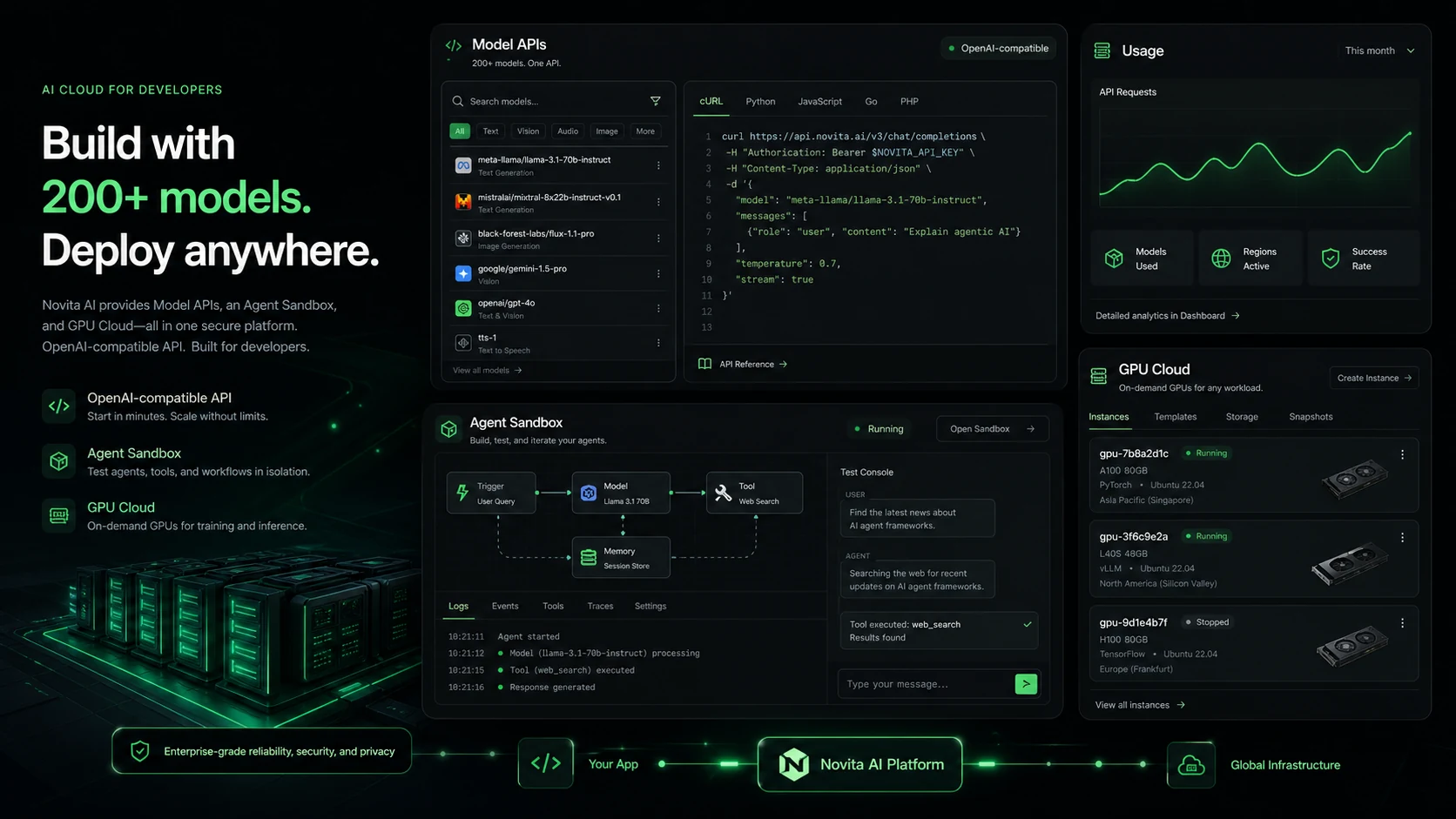
Novita AI is best understood as developer infrastructure for teams that want model APIs, media generation APIs, serverless GPU endpoints, GPU instances, and agent sandbox runtime without managing every layer of deployment themselves. It is a poor fit for buyers looking for a simple no-code AI writing tool, but it becomes interesting when the real question is whether a developer team can ship AI features faster and control usage cost at the same time.
Fit → price → checkout
Use these routes after the official-site check: coupon first, review for fit, compare if unsure.
Novita AI pricing snapshot
Fast commercial checks before pricing, coupons, or a deeper review.
Novita AI product tour
The product tour video is useful if you are trying to decide whether Novita AI is only a model API vendor or a broader infrastructure layer for AI apps. Watch the setup flow, endpoint choices, and console steps carefully, because those details tell you whether your team has enough technical comfort to manage credits, API keys, and deployment settings before putting real workloads on the platform.
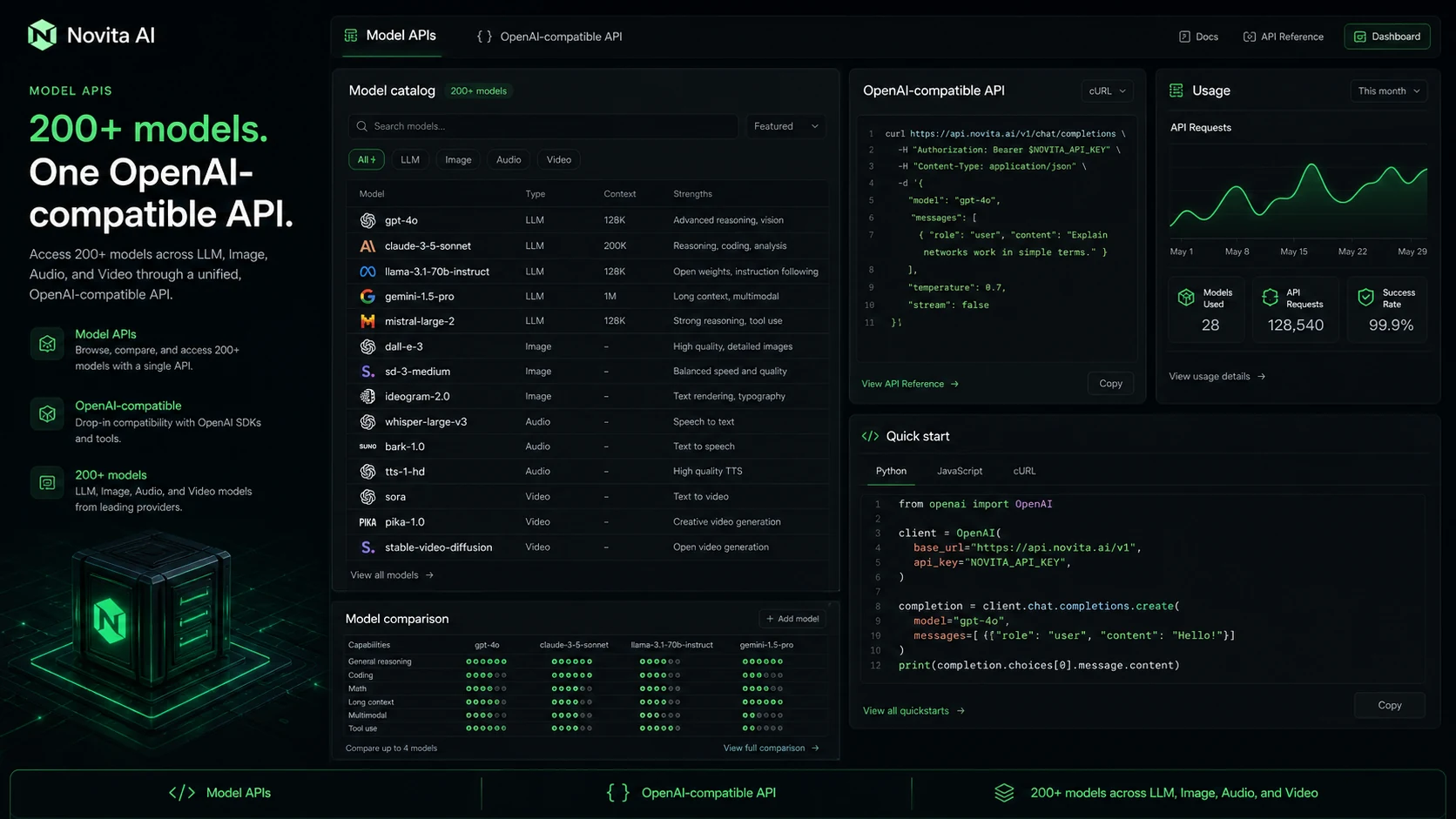
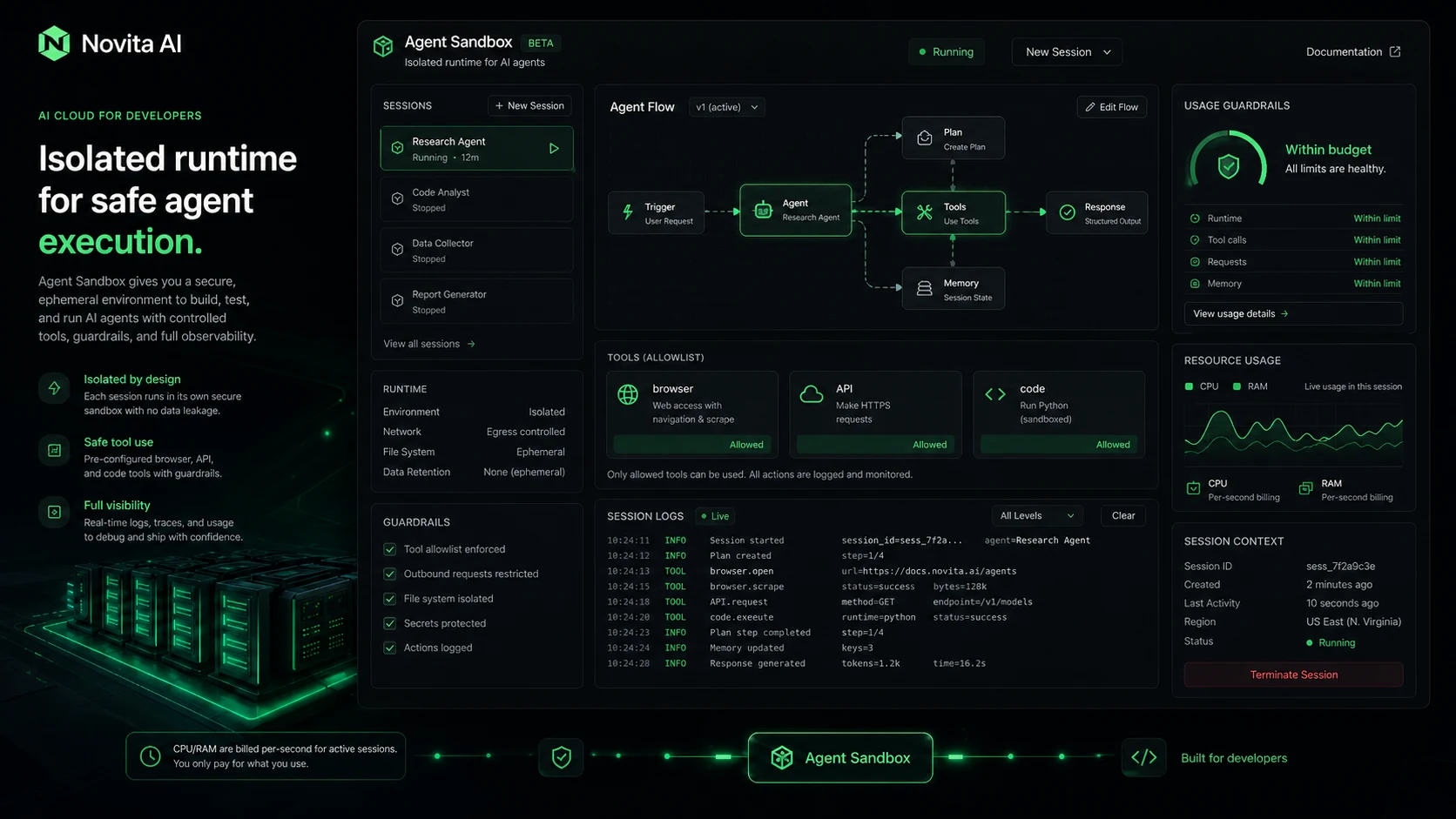
Novita AI should be evaluated like infrastructure, not like a normal SaaS writing assistant. The buyer question is less "does it have nice templates?" and more "can my developer team connect the right models, estimate usage cost, control credits, and ship a reliable AI feature without overbuilding infrastructure?"
What Novita AI actually does
Novita AI gives developers a way to call multiple AI models, run image and video generation tasks, use OpenAI-compatible APIs, and access GPU-backed infrastructure from one platform. The practical appeal is consolidation: instead of stitching together separate model hosts, image APIs, video tools, GPU providers, and agent sandboxes, a technical team can test several paths from the same ecosystem.
- Model APIs for LLM and multimodal workloads.
- Image, audio, and video generation API coverage.
- Serverless endpoints and GPU instances for heavier workloads.
- Agent Sandbox and Agent Runtime positioning for AI agent builders.
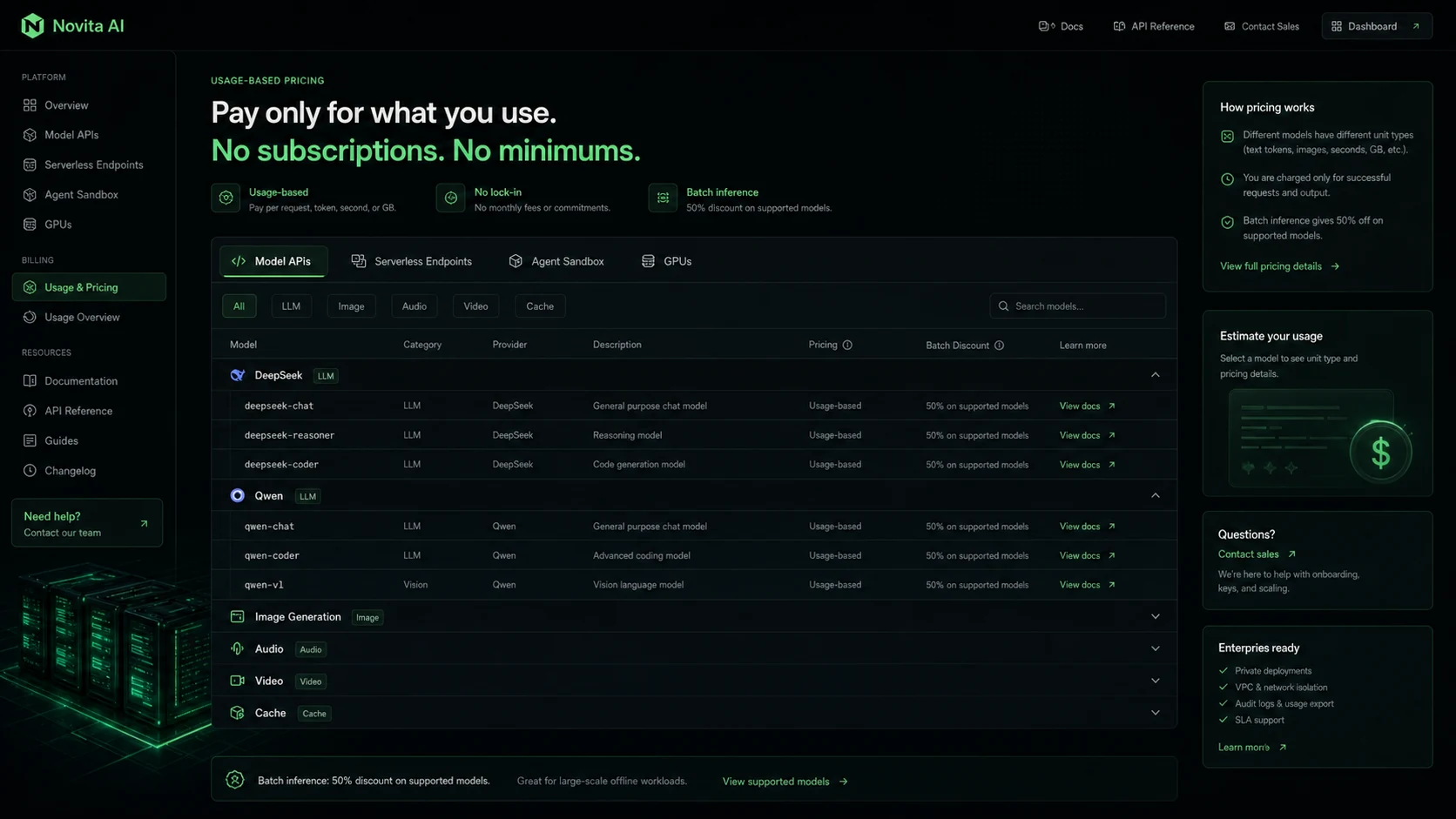
Pricing is usage-based, so estimate before checkout
Novita AI's pricing is built around usage. The public pricing page shows model rates, image rates, video rates, serverless endpoints, agent sandbox resources, and GPU resources. That structure can be efficient for prototypes and uneven workloads, but it requires discipline. A buyer should estimate real prompt length, output length, media settings, inference steps, runtime, retries, and expected traffic before loading meaningful credits.
- Compare the exact model rather than relying on the lowest rate on the page.
- Check whether cache reads, batch inference, or infrastructure mode changes the final cost.
- Run a small workflow test before enabling larger usage or automatic top-ups.
API key setup is a real buying checkpoint
The API key workflow matters because it tells you whether your team can move from pricing research to a working implementation. The second video is useful if you need a practical checkpoint before checkout: watch how keys are created and managed, then ask whether your team has a safe place to store secrets, rotate keys, monitor usage, and separate test from production calls. That is the difference between buying credits for a controlled pilot and accidentally turning a test into an unmanaged production expense.
- Check whether the API key process fits your current developer workflow.
- Decide who owns credit monitoring and key rotation before going live.
- Separate testing, staging, and production usage where possible.
Serverless GPU and agent sandbox fit
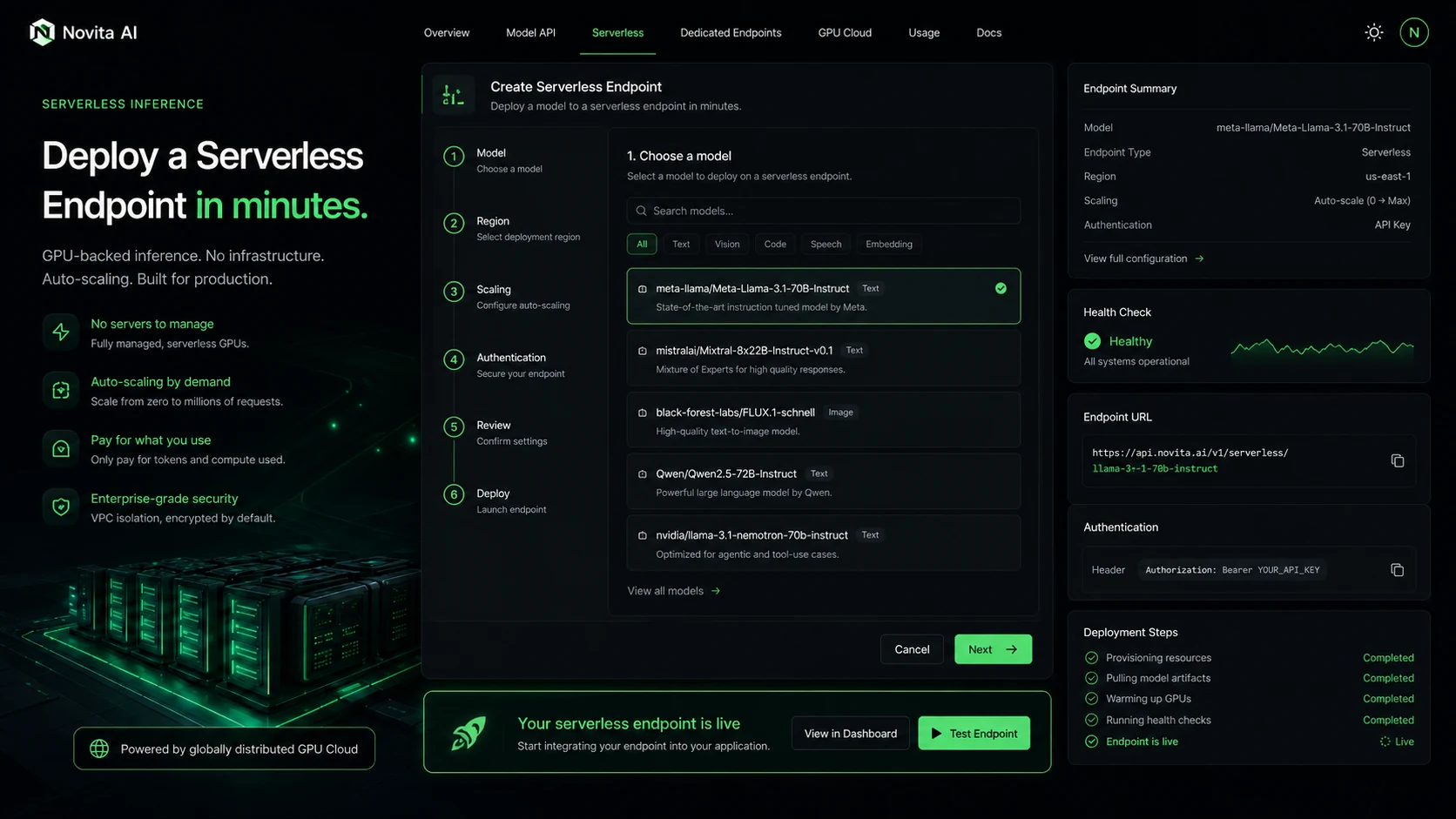
Novita AI becomes more interesting when a team needs more than standard API calls. Serverless endpoints can suit bursty inference workloads, GPU instances can help with more predictable compute needs, and Agent Sandbox targets secure runtime for AI-generated code or agent workflows. These options are powerful, but they also add configuration and cost responsibility. Buyers should decide whether they need this flexibility now or whether a narrower API provider would be simpler.
- Serverless endpoints are better suited to workloads where scaling and runtime billing matter.
- GPU instances make more sense when the team understands compute needs and expected duration.
- Agent Sandbox is relevant when code execution, browser use, or agent tooling is part of the product.
Refund and coupon expectations
Novita AI is not a low-risk impulse purchase if you plan to load credits or run larger workloads. Its terms state that fees are non-refundable and all sales are final, so the safest approach is to start with a small test, confirm the final checkout amount, and avoid relying on any third-party coupon claim until the checkout screen reflects it. Public coupon pages may be useful for discovery, but they are not a substitute for official pricing and your own usage test.
- Verify final checkout pricing before adding credits.
- Treat third-party coupons as testable claims, not guaranteed official discounts.
- Review recharge and top-up behavior before enabling larger usage.
Relevant alternatives to compare
The most relevant alternatives depend on the workload. Compare Replicate or Fal.ai if your main need is hosted model inference for creative or API-based generation. Compare Runpod, Lambda Labs, or other GPU providers if the decision is mostly compute. Compare OpenRouter or direct model providers if the workload is mainly LLM routing. Inside the current DealBestDaily store graph, 1min.AI and Aikeedo are useful only as contrast checks: they help confirm that Novita AI is infrastructure for builders, not a simple all-in-one app or self-hosted SaaS starter kit.
- Choose Replicate or Fal.ai style providers when model API simplicity matters most.
- Choose GPU cloud providers when compute control matters more than API catalog breadth.
- Choose all-in-one apps only if you do not want to manage API keys, credits, or infrastructure.
Use comparison routes when the category fit is still open
Use these comparison routes when the product still looks plausible, but the category fit is not fully settled.
Verification points worth checking before you click out
Where this store usually fits best in the workflow
Novita AI fits developers who want to connect a chat, image, video, or multimodal workflow quickly and compare model cost before committing to one provider.
The platform can make sense when an app needs image or video generation APIs and the team wants to test output quality, unit cost, and usage behavior.
Serverless endpoints are relevant when traffic is uneven and the buyer wants infrastructure that can scale without keeping a fixed machine running all the time.
Agent Sandbox is useful for teams exploring code execution, tool use, or computer-use agents, but only after security and cost monitoring are defined.
Practical checkpoints before and after signup
- List the exact workload you need: LLM, image, video, serverless inference, GPU instance, or agent sandbox.
- Check the official pricing page for the exact model and task type, not just the lowest visible rate.
- Read the refund language before adding credits.
- Use a small credit amount and measure real prompt length, media settings, retries, latency, and output quality.
- Create API keys carefully and decide who owns key rotation, logs, and usage monitoring.
- Test failure handling before production traffic depends on the API.
- Estimate monthly cost from real usage data and compare Novita AI against narrower providers.
- Confirm whether batch inference, cache pricing, or serverless GPU settings reduce cost for your actual workload.
- Avoid automatic top-ups until spending alerts and usage ownership are clear.
Fast-read signals for workflow fit and buying friction
Questions readers usually ask before choosing this store
What does Novita AI actually do?
Novita AI provides developer infrastructure for model APIs, image and video generation, serverless endpoints, GPU instances, and agent sandbox workflows. It is closer to an AI infrastructure platform than a normal end-user productivity app.
Is Novita AI free to use?
Novita AI has a signup path and may show limited trial credit, but the core buying model is usage-based. Buyers should verify the current console credit offer, then estimate real API, media, sandbox, or GPU usage before paying.
Does Novita AI offer coupon codes?
Public coupon directories report Novita AI discount paths, but those claims should be treated as checkout-test offers unless the final checkout price confirms the discount. The more reliable savings path is workload estimation, batch discounts where supported, and controlled credit usage.
Is Novita AI good for non-technical users?
Not usually. Novita AI is best for developers and technical teams that can manage APIs, keys, credits, endpoints, and infrastructure choices. A non-technical buyer who wants a finished AI assistant should compare simpler app-style tools first.
What should buyers verify before checkout?
Buyers should verify the exact model rate, media generation settings, endpoint or GPU billing mode, refund terms, automatic top-up behavior, and whether any coupon or discount actually appears in the final checkout amount.
Choose the next route that matches what you still need to decide
The strongest next click depends on whether you still need product judgment, a savings route, or a broader category comparison.