
APILayer Pricing, API Plans & Developer Fit
APILayer is an API marketplace for developers and product teams that need ready-made APIs across categories such as geolocation, finance, communication, AI, data processing, scraping, and business data. The store decision is not about one software app or one price point. It is about whether APILayer has the specific API, request volume, docs quality, and billing risk that match the product a buyer wants to build.
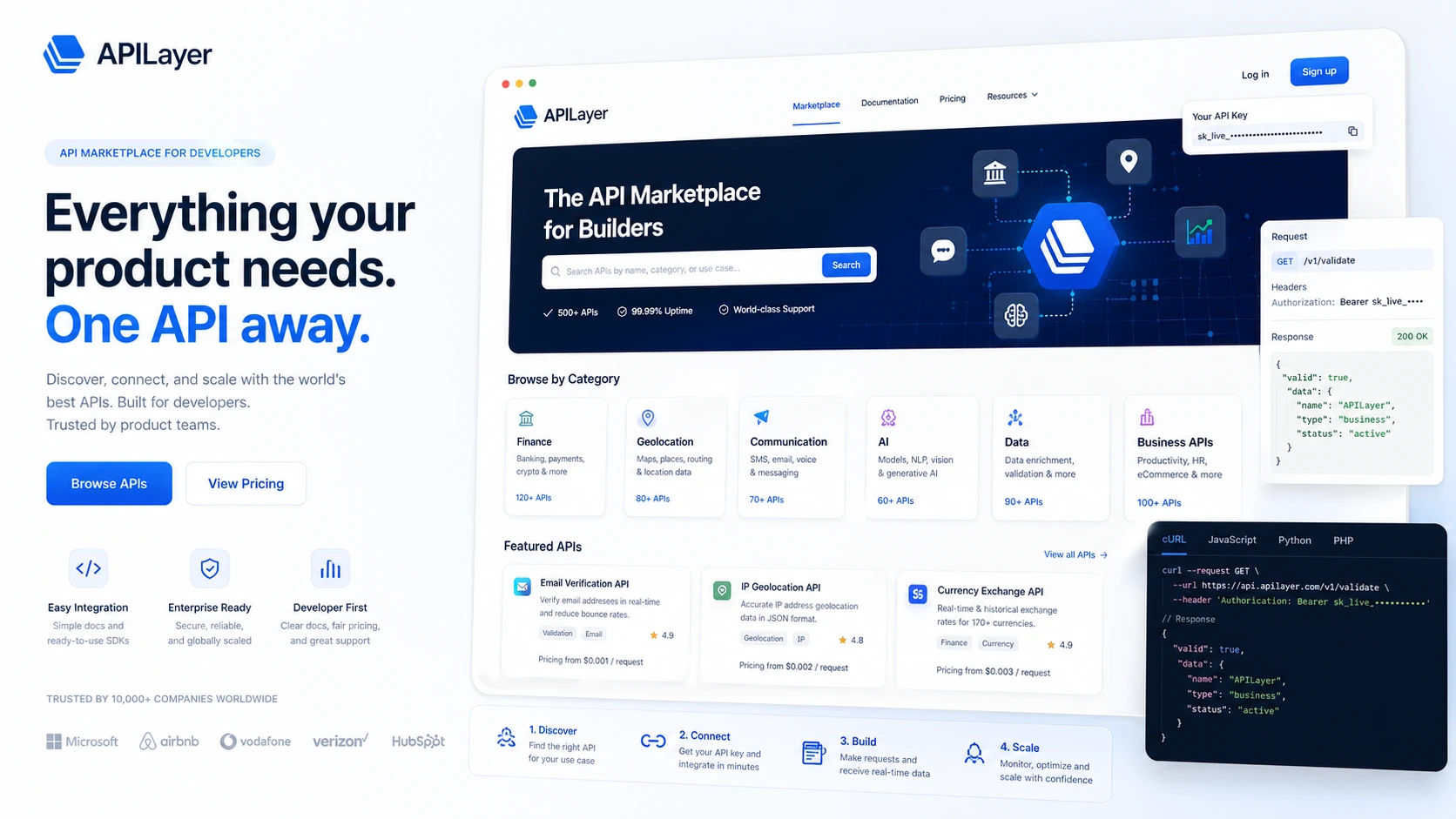
Fit → price → checkout
Use these routes after the official-site check: coupon first, review for fit, compare if unsure.
APILayer pricing snapshot
Fast commercial checks before pricing, coupons, or a deeper review.
APILayer product tour
APILayer should be evaluated through the marketplace workflow: search for an API, inspect the listing, compare pricing and request limits, test a live demo, then open the docs before integrating. The tour media focuses on those buyer decisions rather than treating APILayer like a single fixed-price SaaS app.
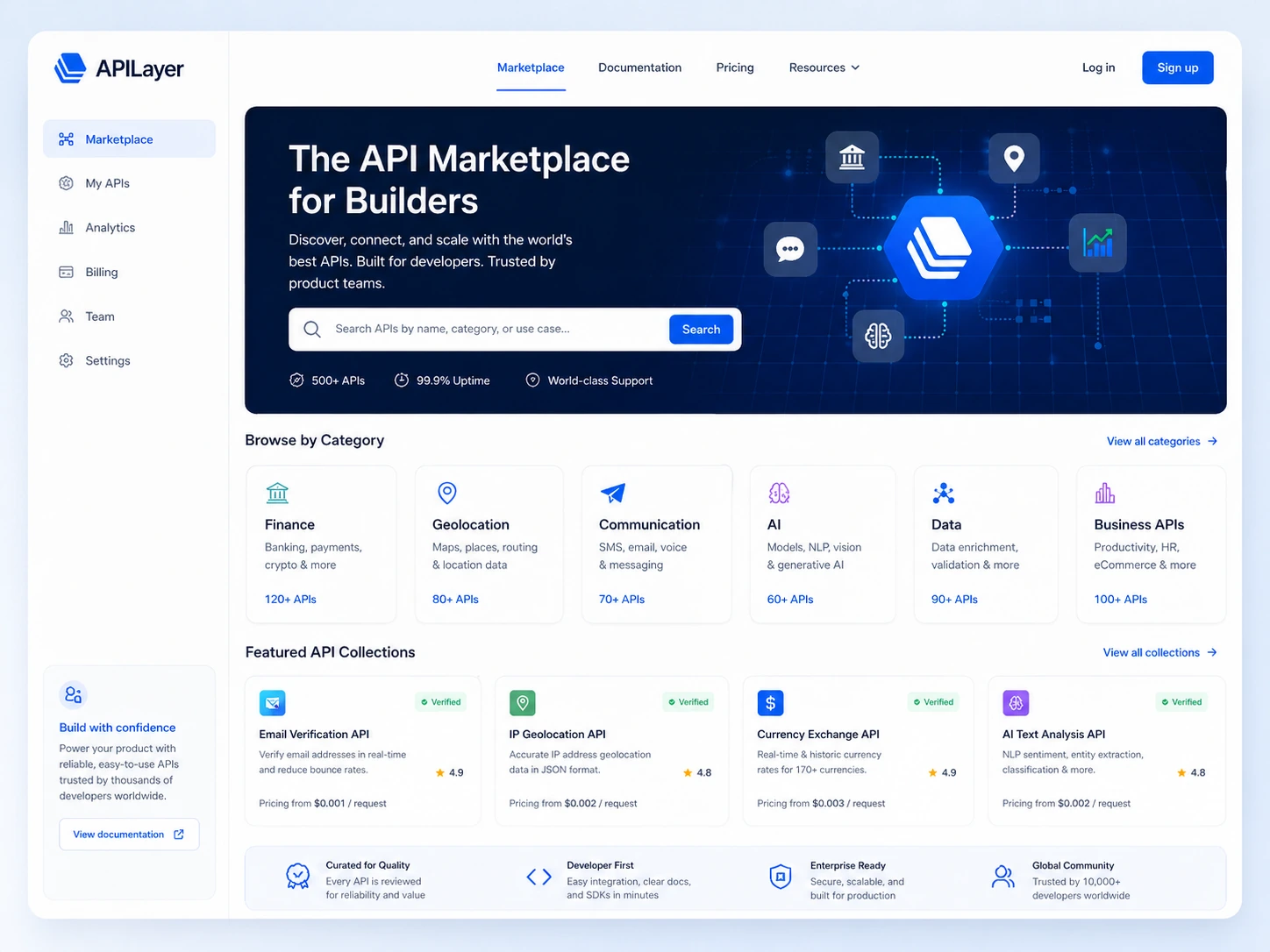
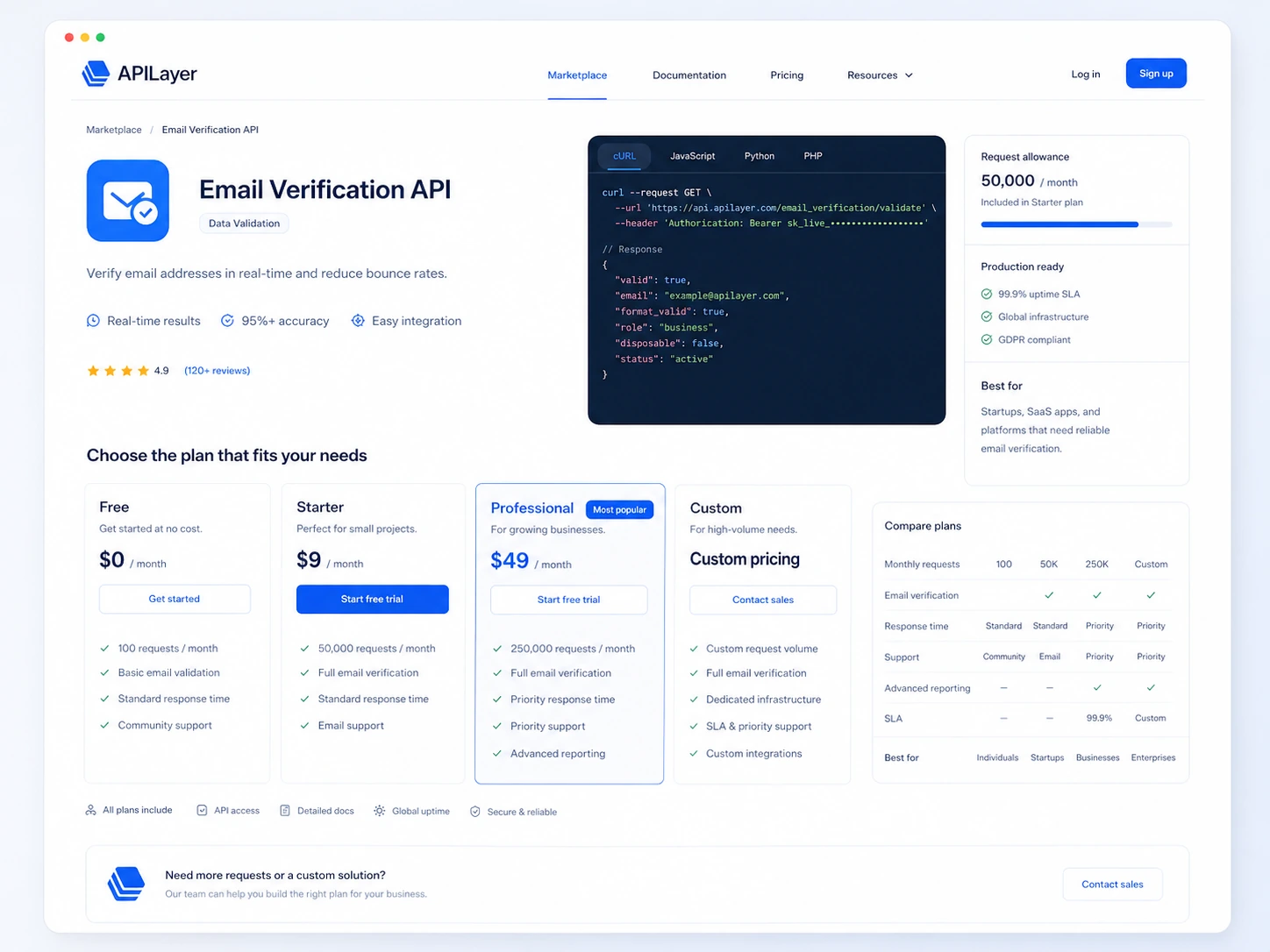
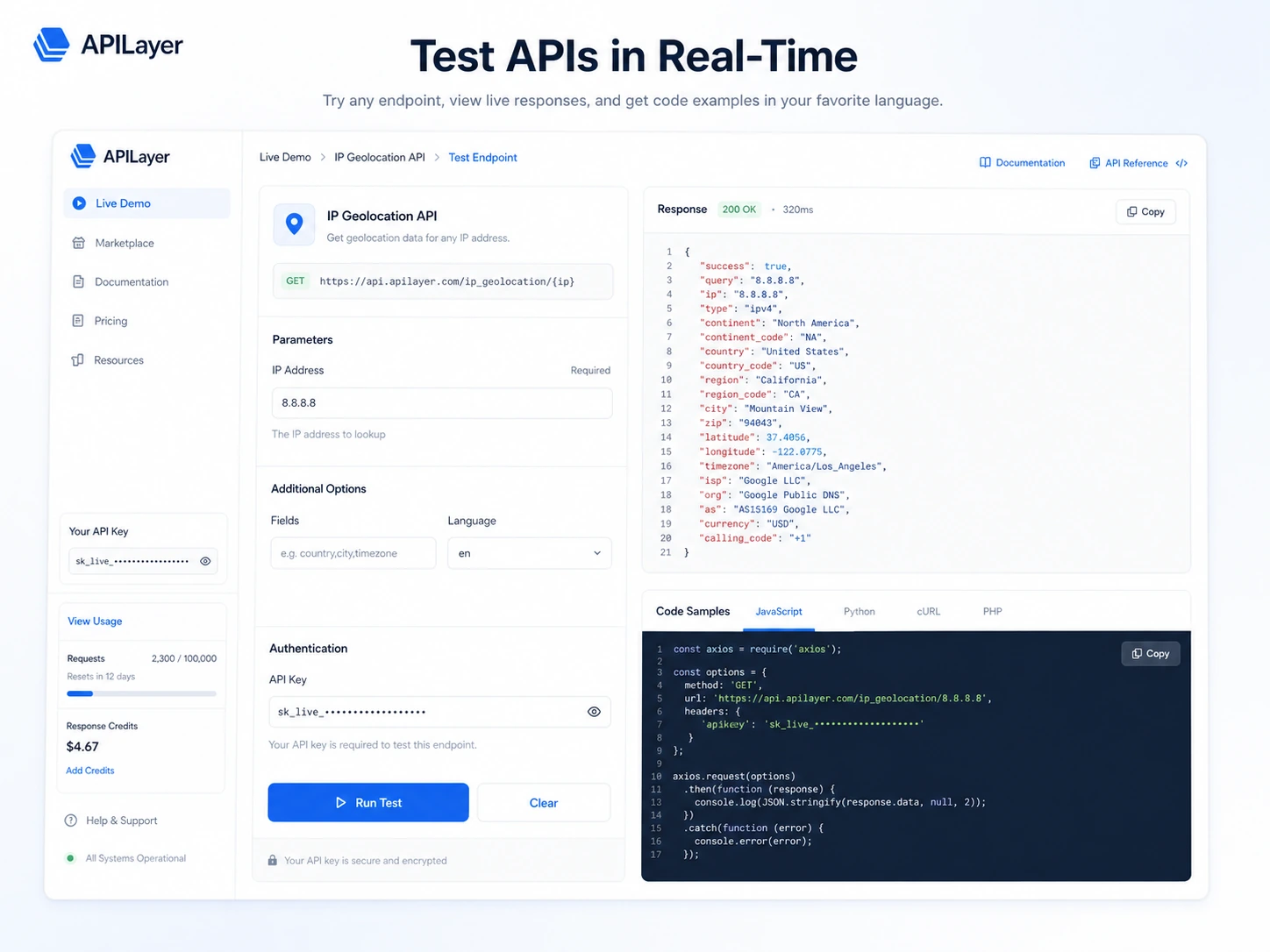
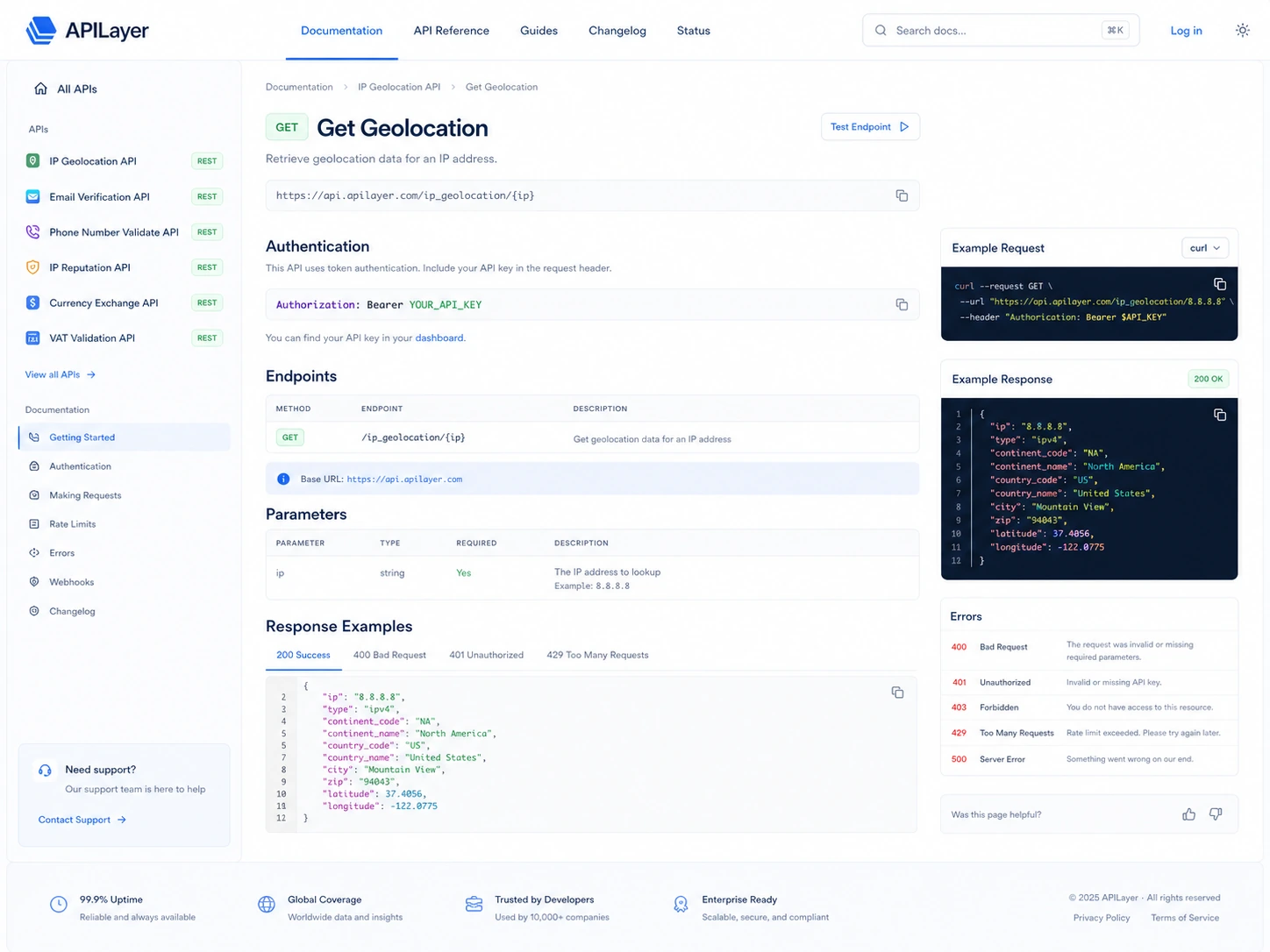
APILayer is best understood as a developer marketplace, not as a single app with one neat price. A buyer comes here when they need a practical API building block, then has to decide which listing, plan, request limit, and support path match the product they are building. That makes the store page a routing layer: it should help the buyer move from broad API discovery to a specific API listing, docs test, pricing check, and safer checkout decision.
What APILayer actually does
APILayer gives developers a marketplace for finding and subscribing to APIs. The official product pages describe categories such as communication, geolocation, finance, AI, data processing, scraping, business, and news. In plain language, it helps a builder add a capability like IP lookup, currency rates, phone validation, search data, weather data, news data, or PDF conversion without building that data layer from scratch.
The buyer mistake is treating APILayer like one product with one plan. The real decision happens at the API-listing level. You need to know which endpoint you want, how many requests you expect, what latency or support level matters, and what happens when your app outgrows the free tier.
- Marketplace for API discovery and subscription
- API categories across data, finance, geolocation, scraping, AI, and developer utilities
- Listing-level docs, pricing, and live demo paths
- API key workflow for integration into apps and products
Pricing is API-specific, not universal
APILayer's own product page says each API has its own pricing, and the docs explain that API detail pages include pricing information. That means the buyer should not judge APILayer by a single headline price. Some listings show free monthly request allowances and paid monthly tiers, while larger usage may require custom volume contact.
For store-page purposes, the safest public pricing summary is this: APILayer often starts with a free plan for testing, but serious usage depends on the exact API and request volume. Before paying, compare the monthly request cap, included support, endpoint availability, and whether your production volume will push you into a higher tier quickly.
- No universal brand-level plan table
- Free plan path on almost all APIs according to docs
- Paid pricing varies by API and request allowance
- Custom volume can matter for production workloads
Free plans, live demos, and trial wording
The strongest low-risk path is the free plan and live demo workflow. APILayer documentation says almost all APIs have a free plan, and the getting-started guide says the live demo lets users test parameters in the browser with code samples in multiple languages. That is useful because the buyer can check response shape before adding the API to real app code.
Trial language requires more caution. The marketplace terms say APILayer may offer free trial periods for APIs, but that is not the same as saying every API has a trial. Treat trials as listing-specific. Free plan availability is the more stable store-level message.
- Use free plans where available for first validation
- Test live demo responses before building around the API
- Treat trial availability as listing-specific
- Save the API key and docs flow for engineering handoff
Refund and checkout risk
The APILayer Marketplace terms are strict: paid API purchases are final, non-cancellable, and non-refundable. That does not mean APILayer is a bad fit, but it changes the buying order. A buyer should not pay first and evaluate later.
A safer path is to pick one API, test the free plan or demo, review the listing terms, understand whether the provider is APILayer or a third-party vendor, and only then subscribe. This matters even more for experiments where the endpoint may not become part of the final product.
- Paid API purchases are listed as non-refundable
- API-specific vendor terms can apply
- Trials may convert to monthly billing if not canceled on time
- Free testing is the safer first step
Who APILayer fits best
APILayer fits teams that know what data or utility function they need and can evaluate an API like an engineering dependency. A developer adding exchange rates, IP lookup, validation, SERP data, screenshots, weather, or finance data will likely understand the tradeoff faster than a non-technical buyer looking for a point-and-click app.
Product teams also benefit when APILayer shortens the discovery loop. Instead of sourcing every provider independently, they can compare categories, read docs, test examples, and move from free plan to paid tier when the endpoint proves useful.
- Developer-led app and SaaS teams
- Product teams adding data features
- Startups validating API-backed features
- Technical buyers who can test endpoint reliability
Best next step before subscribing
The best next step is narrow and practical. Choose the exact API category, open the listing, compare the free and paid tiers, run the live demo, inspect the documentation, and estimate monthly request volume. After that, the buyer can decide whether the review page, coupon path, or direct pricing route is the right next click.
If fit is still unclear, read the APILayer review first. If the API is already selected and the only question is cost, move to pricing and deal verification. If the requirement is no-code automation rather than direct API integration, compare tools such as Make before committing to an API-first route.
- Pick one API use case
- Run the demo and inspect docs
- Compare plan limits against expected usage
- Use the coupon path only after fit is clear
Best savings path from this store page
This is the clearest savings route to check once the product already looks like a fit.
APILayer documentation says its APIs generally include a free plan unless otherwise stated, which is the safest first step for testing a new integration.
Up to 15% lower annual billing where supported
Lower-cost paid API tier
Use comparison routes when the category fit is still open
Use these comparison routes when the product still looks plausible, but the category fit is not fully settled.
Choose Make when the real need is no-code workflow automation across apps, not direct API selection and engineering integration.
Choose Jet Admin when the priority is building internal tools and admin panels rather than sourcing external data APIs.
Choose Cloudways when the buying problem is managed hosting and deployment infrastructure, not API data access.
Choose Adminkit when developers need a dashboard template or UI starter, while APILayer is better for API-backed data features.
Verification points worth checking before you click out
Where this store usually fits best in the workflow
APILayer fits a SaaS team that needs to add exchange rates, IP lookup, validation, news, scraping, weather, finance, or similar data without maintaining every source internally.
A founder or developer can use a free plan and live demo to test whether an endpoint returns the right payload before building a full product workflow around it.
Product teams comparing several API categories can use APILayer as a discovery layer, then narrow the decision to the exact API listing, docs quality, and plan limits.
Technical buyers can compare free and paid request allowances before rollout, which is more useful than simply choosing the lowest visible monthly price.
Practical checkpoints before and after signup
- Define the exact data or utility API needed before browsing the marketplace.
- Open two or three candidate API listings and compare docs, pricing, and request limits.
- Check whether the API provider is APILayer or a third-party vendor with separate terms.
- Subscribe to a free plan where available and run the live demo with realistic parameters.
- Copy sample code only after checking response shape, error behavior, and required fields.
- Estimate monthly requests before assuming the free tier is enough for production.
- Choose the plan based on request volume, support expectations, and production risk.
- Read the final marketplace terms and cancellation path before payment.
- Avoid paid checkout if the endpoint has not been tested against a real workflow.
- Monitor request volume and error handling once the API is inside a real app.
- Revisit plan limits before launch spikes, customer growth, or new feature rollout.
- Keep documentation and API key access clear for the engineering team.
Fast-read signals for workflow fit and buying friction
Questions readers usually ask before choosing this store
What is APILayer best for?
APILayer is best for developers and product teams that need ready-made APIs for data, validation, geolocation, finance, scraping, communication, or similar app features. It is strongest when the buyer already knows the API problem and can evaluate docs, endpoints, and request limits.
Does APILayer have a free plan?
APILayer documentation says almost all APIs have a free plan, and the subscription guide says all APIs have a free plan unless otherwise stated. The exact free allowance still depends on the specific API listing, so buyers should verify the chosen API page.
Is there one APILayer price?
No. APILayer pricing is API-specific. Each API has its own pricing page, request limits, support details, and sometimes a custom volume path. The safest approach is to open the exact API listing before comparing cost.
Does APILayer offer refunds?
The APILayer Marketplace terms state that paid API purchases are final, non-cancellable, and non-refundable. Buyers should test the free plan or live demo first and read any listing-specific vendor terms before subscribing.
What should I check before paying for APILayer?
Check the exact API listing, request allowance, support level, docs quality, live demo output, vendor terms, cancellation timing, and expected monthly usage. If the endpoint has not been tested on a real workflow, it is safer to delay paid checkout.
Choose the next route that matches what you still need to decide
The strongest next click depends on whether you still need product judgment, a savings route, or a broader category comparison.